
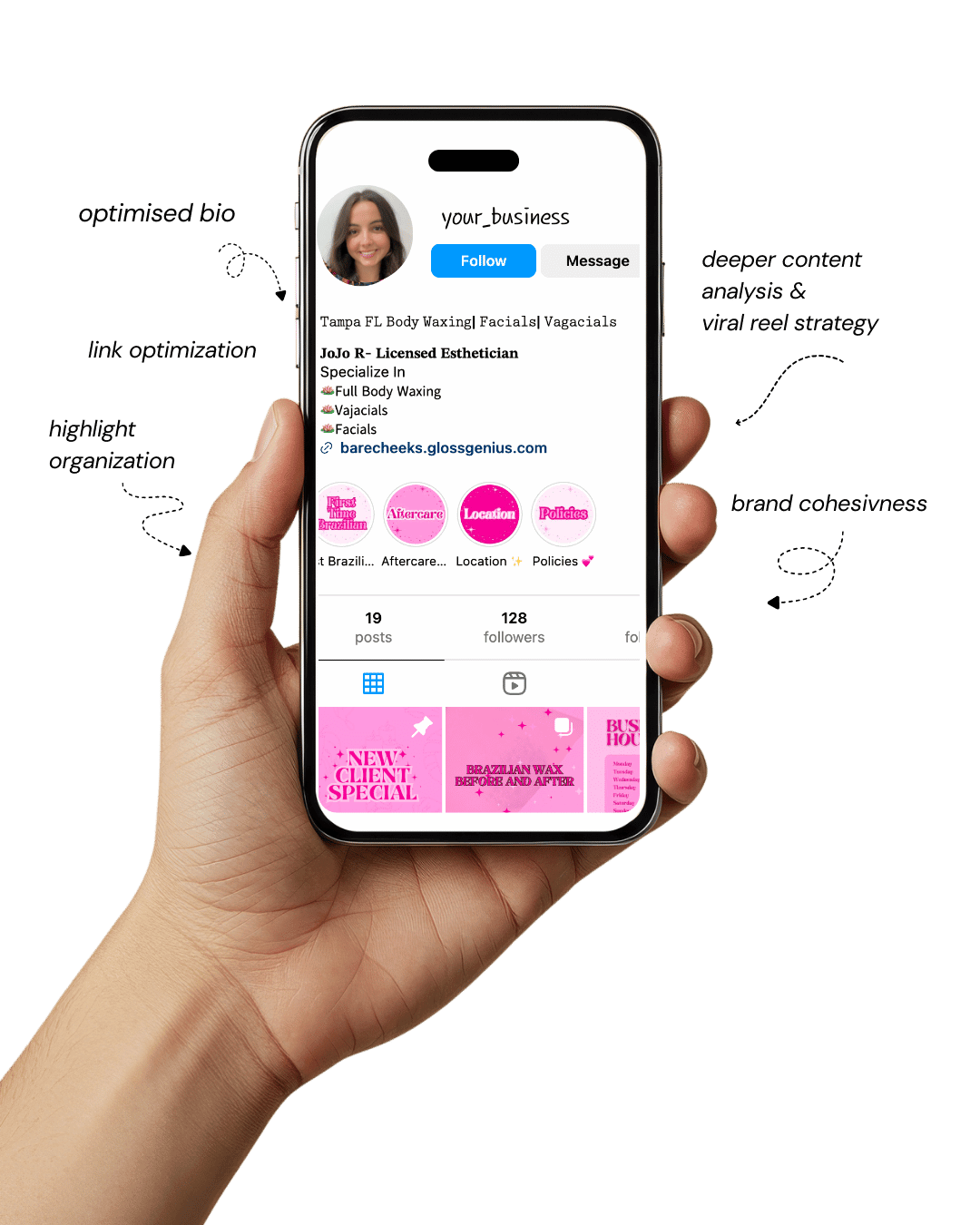
Your Instagram isn’t the problem.
The strategy is.
Get a free, honest audit of your Instagram profile — tailored for beauty, wellness & creative brands.
You’ll receive: profile fixes · content gaps · bio upgrades · content ideas.
I personally review your profile and send a clear, actionable breakdown — no AI, no templates.
If you’ve been scrolling Pinterest or Instagram lately, you’ve probably noticed a certain kind of aesthetic taking over — clean lines, soft neutrals, subtle luxury.
It’s what we call the “Rich Girl” vibe — effortlessly polished, minimal, and refined. And with the right Canva design ideas, you can recreate that expensive look for your brand without needing a designer or a massive budget.
Canva has become a secret weapon for creators, entrepreneurs, and small businesses that want to look like they’ve hired a full creative team.
The trick lies in using professional-level design principles — composition, hierarchy, and color psychology — while still leveraging Canva’s easy drag-and-drop tools.
In this guide, we’ll walk you through 10 “Rich Girl” Canva design ideas that elevate your brand’s presence across social media, websites, and digital products.
Whether you’re a coach, influencer, or creative entrepreneur, these Canva design ideas will help you stand out with visuals that exude sophistication and consistency.
Think of this as your ultimate cheat sheet to creating high-end aesthetics that not only attract attention but also build trust, credibility, and connection with your audience.
Let’s get your brand looking like luxury — without spending luxury money.
Why Aesthetic and Luxury-Looking Designs Matter
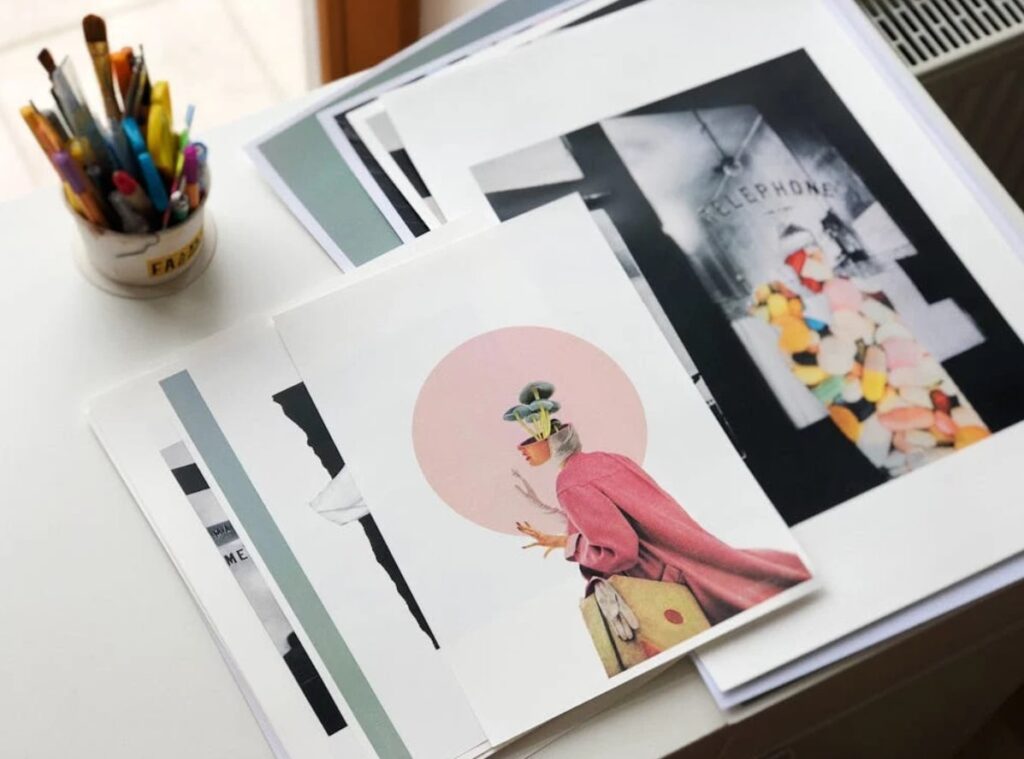
In digital spaces, your visuals are your first impression. A well-designed graphic can communicate authority, quality, and style before a single word is read.
That’s why investing time in exploring Canva design ideas isn’t just about aesthetics — it’s about strategy.
The “Rich Girl” look works because it’s rooted in visual psychology. Minimalist layouts create breathing room, muted color palettes project calmness and control, and elegant typography implies expertise.
When done right, these elements collectively send the message: this brand knows what it’s doing.
Moreover, design consistency directly affects how people perceive value. If your Instagram feed or website maintains a coherent, elevated look, potential clients associate that polish with professionalism.
Even if you’re just starting out, luxury-looking visuals can make your brand appear established and trustworthy.
By mastering high-end Canva design ideas, you’re not just beautifying your brand — you’re building brand equity.
You’re creating a digital presence that resonates emotionally, invites engagement, and drives conversions.
1. Luxe Minimalism
Minimalism isn’t about emptiness — it’s about intention. With this design idea, you lean into clean space, one premium font, and one accent colour from your brand palette.
On Canva use “Spacing” in the Text panel to adjust letter-spacing and line-height so everything breathes.
Keep the layout centered or asymmetrically clean, and stick to a high-contrast palette: black, white, gold or deep navy.
The technical detail people miss? Export as PDF print or PNG with transparent background if overlaying on images later. That small bit adds polish and flexibility.
2. Bold Serif Statement
A strong serif font instantly communicates luxury: think thin, elegant serifs with generous kerning. In Canva, choose a serif like “Playfair Display” or “Didot” and increase letter spacing by 4–6 pt for headlines.
Combine with a muted background (ivory or soft grey) and a metallic accent (rose gold). On the technical side, enable “Snap to grid” under File → View settings to keep your text perfectly aligned — a detail many neglect. Use SVG export if you’ll scale the graphic later.
3. Monogram Logo Graphic
A monogram design is compact, brandable and very high-end. In Canva, use your initials inside a circle or rectangle, apply a thin gold stroke, and set the fill to transparent or a subtle pastel.
Export as PNG with transparent background to overlay in videos or on products. Don’t forget to set RGB colour mode for screen or CMYK if you’re doing print.
That dual-mode checks helps prevent colour shifts in physical media.
4. Metallic Accents & Texture
Luxury often shows in details: brushed gold foil, subtle marble texture, glossy emboss. In Canva, you can upload a marble texture image and set it as an overlay with 15% opacity.
Then add a text box and choose a metallic gradient for the text fill. One overlooked detail: when exporting for print, check the “Flatten transparency” option to ensure the metallic texture prints cleanly. That tiny technical step avoids weird banding or missing details.
5. Rich Colour Blocking
Colour blocking can feel bold yet refined if done with premium colours. Choose two or three colours — e.g., deep emerald, creamy white, warm gold.
In your Canva layout use large blocks of colour with minimal copy.
Technical tip: use the Eyedropper tool (in Canva Pro) to match brand colours exactly across assets.
Export at 1080 × 1350 px for Instagram feed or 1080 × 1920 px for stories to maintain crispness.
6. Elegant Photography Overlay
Photography combined with minimalist typography equals instant luxury. In Canva, place a full-bleed image (preferably one with negative space), then overlay a semi-transparent black or white rectangle (30% opacity) as background for text.
Use a thin sans-serif font for body copy and a bold serif for the headline. A technical detail many miss: compress the image for web export (set Quality to 60-70%) so the file loads fast without losing sharpness.
7. Custom Icon Set & Line Art
Small icons in line art style add sophistication. In Canva search “line icons” and choose a consistent weight (1.5 pt or 2 pt) across all.
Place icons in a row or grid, align using the Position tool (Align middle, centre horizontally).
Technical note: when exporting, select “Transparent background” if you plan to reuse the icons across multiple platforms. This ensures they sit cleanly on any backdrop.
8. Structured Grid Layout
Grid-based layouts communicate order and luxury. In Canva use the Grids tool: insert a three-row, two-column grid, place images or colour blocks and overlay text.
Make sure spacing between cells is equal (set Gutter to 24 px for example). Technical nuance: set all images to the same resolution (at least 1920 × 1080 px) to avoid pixelation on larger displays. Uniform resolution = professional finish.
9. Premium Typography Hierarchy
Luxury design pays attention to typography hierarchy. Choose one headline font, one body font, and one accent font.
In Canva define three text styles: Heading, Sub-heading, Body. Use “Styles” panel to keep consistency.
In the Text spacing menu, set letter-spacing for headings at +2 px, body at 0 px, line-height at 1.3 for readability. That tiny adjustment separates amateur vs polished.
10. Signature Pattern or Motif
A repeating pattern or motif becomes your brand’s luxury signature. In Canva, create a small motif (monogram, icon, shape) and duplicate it across a canvas with equal spacing.
Then use it as a background with low opacity (10–15%). Technical detail: Export at high resolution (300 dpi) if you’ll use it for print (stationery, packaging).
This step is often skipped, and then the pattern looks blurry when printed.
11. Luxe Social Media Carousel
For Instagram or Pinterest, carousels allow you to tell a story while staying luxe. In Canva, create 5 slides: cover, insights, quote, call-to-action, final note.
Use consistent brand colours and fonts across slides. Technical tip: make each slide 1080 × 1350 px, and when you export choose “Compress File (for web)” to keep share-size under 10 MB. This speeds up loading and improves user experience.
12. Elegant Email Header Design
Your email marketing can reflect luxury too. In Canva set canvas size to 600 × 200 px (a standard web-safe header width).
Use your monogram logo left aligned, then a line of thin uppercase tracking for your tagline. Technical detail: export as JPG at 80% quality to balance clarity and file size (emails penalise heavy images).
Also ensure the height doesn’t exceed 100 px when embedded to avoid layout issues in mail clients.
13. Luxury Presentation Slide Deck
When pitching or presenting, your slides should look high-end. In Canva choose a 16 : 9 template, use one large image per slide, then overlay a translucent rectangle for text. Technical nuance: use “Slide transition: Fade” and export as PDF for distribution.
If you plan on physical hand-outs, also export as PNG at 300 dpi for printing clarity.
14. Boutique Website Hero Banner
Your website’s first impression matters. In Canva, create a banner at 1920 × 600 px, set background to a high-res image with subtle motion blur or gradient overlay, then place your headline in large serif, sub-heading in sans-serif.
Technical detail: export using “Transparent background = off” and choose “PNG Standard” for crispness. Also label the file with keywords (e.g., “brandname-hero.png”) for SEO benefit.
15. Elegant Printable Asset (Stationery, Invitation)
Luxury design isn’t limited to digital. In Canva pick an A4 or 5×7-inch template, design with consistent theme, set bleed area to 3 mm if printing.
Under “File → Download” choose “PDF Print” and check “Crop marks and bleed” to ensure printers can trim correctly. This detail often gets overlooked and results in mis-aligned final prints.
16. Refined Pinterest Pin Design
Since Pinterest drives traffic, your design must pop and stay on-brand. In Canva create 1000 × 1500 px (ideal pin size); use bold headline at top, image in middle, brand logo and web URL at bottom.
Choose PNG-24 format to preserve clarity, and include alt-text when uploading to boost SEO. These details help your pin show up in searches.
17. Branded Video Thumbnail
Even video thumbnails can convey luxe. In Canva, set canvas to 1280 × 720 px, use your brand image, overlay headline with your premium font, add your small logo in corner.
Export as JPG at 90% quality—YouTube and social platforms prefer that for fast loading. Also save a copy in 300 dpi if you’ll use it for marketing print later.
18. Elegant Product Mock-up Display
Displaying products well boosts perceived value. In Canva upload product photos, use mock-up frames (phone, poster, tee).
Layer shadows and reflections subtly. Technical detail: ensure your product photo is at least 3000 px wide to maintain clarity when used in larger sizes.
Use PNG transparent background for flexibility across backgrounds.
19. High-End Quote Graphic
Quotes are shareable and build brand identity. In Canva use a minimalist background, then place a block of italic serif text in centre, with a fine line above and below.
Use “Spacing” to increase line-height (1.5) and letter spacing (+1 for a refined feel). Export as PNG with transparent background so your followers can overlay it on photos themselves.
20. Premium Brand Style Guide Page
This one’s often missed but powerful: create a one-pager brand style guide in Canva. Use your brand palette (hex codes), fonts (name + size sample), logo versions, icon set.
Use a grid layout so everything aligns cleanly; export as PDF Print to share with collaborators. When everyone uses the same assets, your brand stays consistent—and that consistency makes you look expensive.
Other steps to boost your results

Beyond designing smart in Canva, there are extra steps you can take to elevate everything further.
First, always create your brand asset folder: high-res logo versions, colour hex codes, font files, icon library — having them ready saves time and ensures consistency.
Then, before you export, preview your design on multiple devices (desktop, tablet, mobile) and even print a test sheet if print-ready.
Colour shifts and layout mis-alignments often show up only in real-world use. Also, keep an eye on file sizes: large files slow down web loading, which hurts user experience and SEO.
Compress images appropriately and use the right formats (PNG for graphics, JPG for photos, PDF for print).
Finally, keep track of your designs with version control — label files with date and purpose (e.g., “Pinterest-Pin-BrandName-Oct2025”) so you can revisit and iterate without confusion.
Final words
Luxury design isn’t about adding more — it’s about choosing less but choosing right.
By applying these
Canva design ideas with intentionality, attention to technical detail, and brand consistency, you’ll elevate your visuals from “just okay” to “wow, that’s premium”.
Whether you’re designing for social, print, web or marketing materials, the same rules apply: clarity, cohesion, and polish.
Start with one or two ideas from the list, implement them across your visuals, and watch how your brand perception shifts. Here’s to your brand looking as rich — and as real — as you envision.