
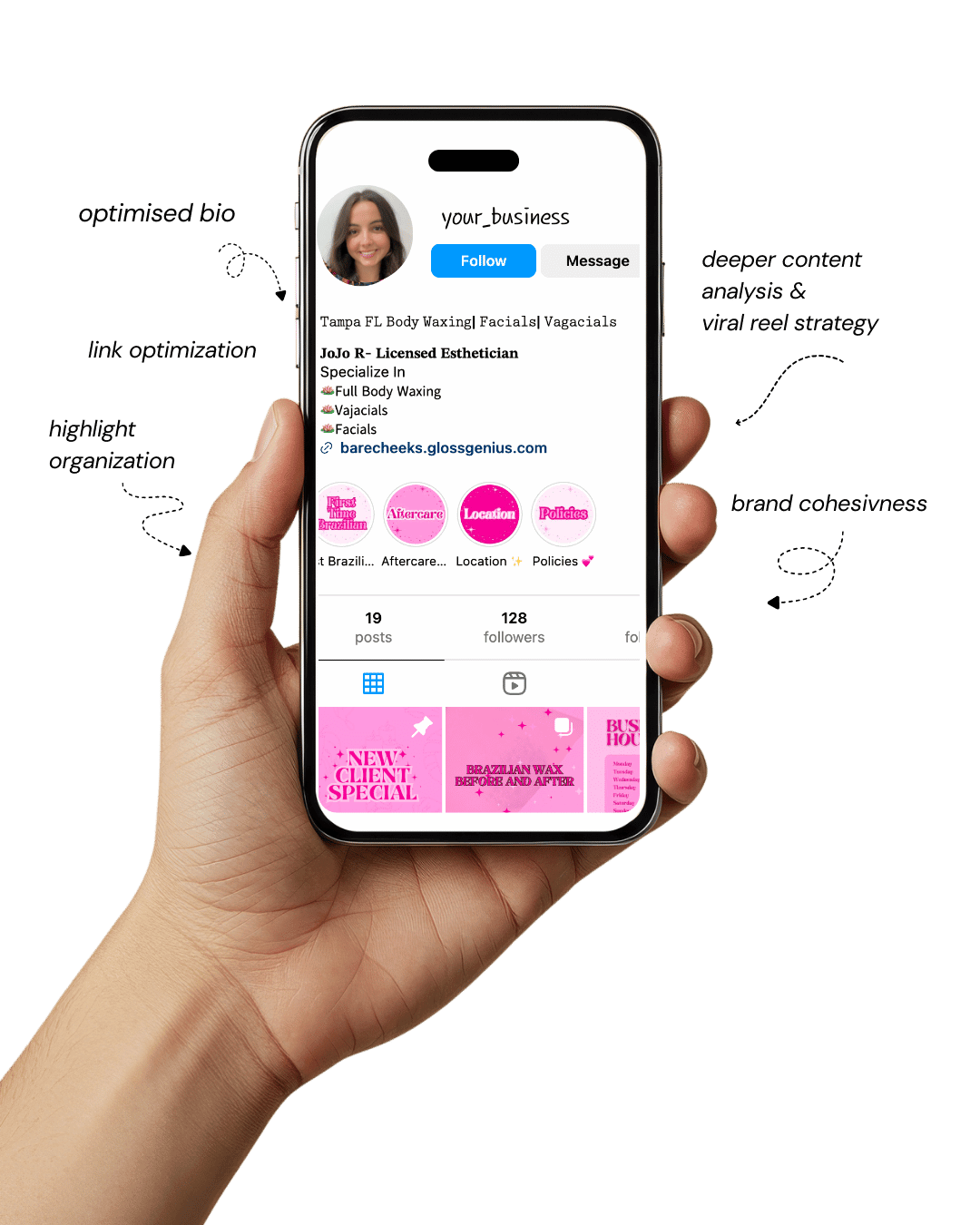
Your Instagram isn’t the problem.
The strategy is.
Get a free, honest audit of your Instagram profile — tailored for beauty, wellness & creative brands.
You’ll receive: profile fixes · content gaps · bio upgrades · content ideas.
I personally review your profile and send a clear, actionable breakdown — no AI, no templates.
Are you ready to elevate your feed with stunning visuals? Let’s dive into how Canva design can become your secret weapon.
In this article, you’ll discover 25 actionable design ideas using Canva that will help your Instagram visuals pop — so your audience engages more, your brand looks cohesive, and you build a presence that stands out.
Why mastering Canva design matters for your social media feed

Using high-quality visual content is no longer optional — it’s essential. With millions of posts flooding users’ feeds every day, having a strong Canva design approach means your visuals aren’t just seen, they’re remembered.
Research shows that images with high memorability are significantly more likely to be shared and engaged with.
Here’s what you gain by investing in strong Canva design:
- Brand cohesion: Templates let you keep fonts, colours and layouts consistent so your posts feel like a recognisable brand rather than random one-offs.
- Faster creation: With varied design ideas and reusable templates, you can speed up your content process and stay consistent.
- Higher engagement: Better design = better readability, stronger hooks, clearer calls to action = more saves, shares, comments.
- Professional vibe: Including technical details like grid alignment, proper export settings (e.g., PNG for clarity, size 1080×1080 for Instagram) makes a difference. Many skip these and end up with blurry or mis-aligned posts.
So yes, Canva design is more than “pretty pictures” — it’s strategic, and it’s what helps you turn your feed from OK to scroll-stopping.
Here are some design ideas you can build in Canva. Each idea is described clearly with how and why it works for your feed.
1. Bold Typography Intro Post
A bold typography post is one of the simplest yet most powerful Canva design ideas to grab attention on Instagram.
Start by creating a square post (1080×1080 px) with your message taking center stage in large, heavy type.
Use fonts like Montserrat ExtraBold or Bebas Neue, and balance them with a clean background that uses your brand colours or a strong contrast such as white on black or vice versa.
Avoid clutter — let the words do the talking. Adjust the line height and spacing so the text feels compact but still easy to read.
This minimalist approach works beautifully on mobile screens where bold, legible text dominates and instantly delivers your key message.
Always export the design in high-quality PNG format so it stays crisp and professional-looking on your feed.
2. Carousel Storytelling Slide Deck
Carousel posts are a fantastic Canva design strategy for telling a story or teaching something valuable to your audience.
Create a sequence of up to ten slides that flow naturally—start with a strong hook on slide one, explain or show the process in the middle slides, and finish with a clear call to action at the end.
Maintaining consistent fonts, colours, and spacing across slides ensures the set looks cohesive and professional.
When you duplicate pages in Canva, it’s easy to keep layout consistency while changing text and visuals per slide.
Carousels increase dwell time since viewers swipe through each frame, helping boost engagement and saves.
They’re perfect for tutorials, quick tips, or “before and after” narratives. When exporting, choose PNG or MP4 if you’ve added motion to maintain quality and sharpness.
3. Before & After Comparison
Before-and-after posts visually showcase transformation, which naturally captures attention.
This Canva design idea works perfectly for showcasing product results, edits, rebrands, or creative makeovers.
In Canva, start with a two-column layout or grid — place the “Before” image on one side and the “After” on the other. Use matching framing and lighting so the difference feels authentic and easy to compare.
Add subtle labels for clarity, using clean typography and your brand colours for consistency.
This type of post draws curiosity and encourages viewers to stop scrolling and examine details.
Keep the design simple — avoid heavy overlays or filters that distract from the transformation itself. When exporting, always use PNG format for crispness, especially if there’s text overlay.
This style performs exceptionally well for designers, coaches, and product-based brands that want to visually prove results.
4. Quiz or Poll Graphic
Interactive posts are engagement magnets, and a Canva design built around a fun quiz or poll works beautifully on Instagram.
Think of visuals like “Which one are you?” or “Pick your favourite” with two or more options displayed attractively. Create clear divisions between choices using colour blocks or subtle frames.
Use contrasting colours to separate each option while keeping the overall design cohesive.
Adding icons or small images for each option makes the post more visually dynamic and easy to understand.
This type of post sparks curiosity and encourages followers to comment or share their choices, increasing overall interaction.
Canva makes it simple to duplicate the layout for different topics, so you can turn it into a series. Keep fonts legible and ensure every element is aligned for that polished, professional look.
5. Tips List Format
A tips post is one of the most versatile Canva design ideas you can create for your Instagram feed. These posts deliver quick, actionable insights that your audience loves to save and revisit.
Use a minimalist layout with three to five short, punchy tips and small icons beside each to enhance readability. Stick to a clean background and consistent spacing to keep the focus on the information itself.
Canva’s grid and alignment guides help maintain perfect symmetry, making the overall design feel intentional and easy to read.
Choose a typeface that’s simple yet modern, and use your brand colours sparingly for emphasis.
Tips posts work great for educational content, productivity hacks, or niche advice, and when styled consistently, they can become a recognizable content series that strengthens your brand’s visual identity.
6. Quote Graphic with Brand Flavor
Quotes are timeless on social media, but what makes them effective is how they’re presented.
A well-executed Canva design for a quote post can capture attention and communicate your brand personality.
Use a quote from yourself, a client, or an industry thought leader, and layer it on a branded background — either a solid colour or a lightly textured image that complements your palette.
Make sure the text is the star of the design; use contrast for readability and align the typography neatly.
You can play with text hierarchy by emphasizing key words using bold fonts or accent colours.
Adding a small logo or username at the corner reinforces brand recognition.
This type of post is perfect for sharing inspiration or credibility while maintaining visual consistency across your feed.
7. Seasonal or Holiday Themed Post
Tapping into seasonal or holiday themes is a clever Canva design move for staying relevant throughout the year.
Whether it’s a New Year’s countdown, Valentine’s sale, or summer announcement, designing around these occasions helps your content feel timely and relatable.
Canva offers plenty of themed templates — just remember to customize them to fit your brand colours and typography.
Keep visuals festive but not overwhelming; subtle seasonal cues like snowflakes, warm tones, or minimal icons often work better than crowded illustrations.
Adding your logo and consistent filters ensures the post still aligns with your overall aesthetic.
Seasonal designs can boost engagement because people love sharing posts that align with current moods and events.
Just plan these ahead on your content calendar for smooth execution and maximum reach.
8. Infographic or Data-Driven Design
Turning information into visuals is one of the smartest Canva design strategies for Instagram. Infographics present stats, data, or complex ideas in a clear, eye-catching format.
Use Canva’s chart and graph tools to create bar graphs, pie charts, or percentage icons, keeping everything aligned and colour-coded with your brand palette.
Balance visuals with concise text to prevent clutter—remember, Instagram viewers scan quickly.
Use icons or small graphics to highlight key numbers or insights. These posts are ideal for educating your audience, showing research-backed points, or demonstrating your expertise in a visually appealing way.
When exporting, choose PNG for clarity or PDF if you plan to repurpose the graphic for other platforms.
Well-crafted infographics often get saved and shared, giving you long-term engagement beyond the first upload.
9. Product Feature Highlight
Highlighting product details through a clean, well-structured Canva design is a great way to communicate value.
Create a layout that splits the image area and text content—place your product on one side and its key benefits on the other.
Use subtle overlays or gradients behind text to improve readability without distracting from the visuals. Keep descriptions short and benefit-focused, and use consistent fonts that align with your branding.
A simple layout with proper alignment and negative space makes your post look professional and premium.
This style helps followers understand what makes your product unique at a glance and works perfectly for new launches, product spotlights, or service features.
Always export in high resolution so the visuals appear sharp and trustworthy on your audience’s feeds.
10. Behind-the-Scenes Peek
Audiences love authenticity, and a behind-the-scenes Canva design gives your followers that personal connection.
Use candid photos from your workspace, creative process, or team moments, and design a layout that feels natural yet polished.
A simple overlay with your brand colours and a caption like “Studio Day” or “Making Of” adds a professional touch.
Adjust brightness and apply subtle filters in Canva to keep the visual style consistent with your feed.
This kind of post humanizes your brand and helps followers relate to the real people behind your content or products. Pair it with a caption that tells a short story or insight from the scene.
These posts work beautifully for creators, small businesses, and brands wanting to balance polished content with authenticity.
11. User-Generated Content (UGC) Frame
A Canva design focused on user-generated content is a brilliant way to build community and show appreciation for your audience.
Create a consistent frame or border that you can easily drop customer photos, reviews, or testimonials into.
Using Canva’s frames and shape tools, design a simple layout with space for a short caption or the customer’s name.
Adding a small watermark or tag like “@username” gives proper credit and makes followers feel valued.
Keep the frame on-brand using your colour palette and typography so that every UGC post looks cohesive on your feed.
These designs not only boost credibility but also encourage others to engage or share their own content with you. Over time, they help form a loyal, engaged audience that loves seeing their work showcased.
12. Animated Story Post
Movement naturally draws the eye, which makes animated Canva designs perfect for Instagram Stories and Reels previews.
Use short animations — like sliding text, fading elements, or subtle transitions—to make announcements, share tips, or highlight offers.
Canva’s animation tools make this incredibly simple: just apply motion to your text or elements, adjust the timing, and preview it before downloading.
Keep animations smooth and minimal so they enhance rather than overwhelm your message.
Short loops of around three seconds perform best because they feel polished and attention-grabbing without being distracting.
Animated story posts are especially effective for boosting engagement since they stand out in the fast-paced world of Instagram Stories.
They also add a layer of professionalism to your content, making even simple updates feel dynamic and intentional.
13. Grid Puzzle or Feed Mosaic
Creating a grid puzzle or feed mosaic is one of the most visually stunning Canva design ideas you can try.
It involves designing a larger image that, when split into smaller posts, forms a cohesive puzzle on your Instagram grid.
Start with a wide canvas in Canva—such as 3240×1080 for three posts across—and design the entire layout as one.
You can include patterns, typography, or a combination of images that align across each square.
After designing, slice the image into equal parts using guides or an external splitter tool. When uploaded in order, your profile grid instantly transforms into a beautifully curated visual puzzle.
This method is perfect for major announcements, campaigns, or aesthetic branding moments that deserve extra attention. It’s a surefire way to make visitors stop scrolling and explore your page.
14. Theme Colour Wash Post
A monochromatic or theme colour wash Canva design creates instant visual harmony on your feed.
Choose one dominant brand colour and build your entire post around it — using different tints, tones, and shades to add depth.
This creates a cohesive, calming look that blends beautifully with your other posts. For example, a soft blush palette for lifestyle brands or deep navy gradients for corporate aesthetics.
Keep elements minimal, focusing on balance and tone rather than clutter.
When done well, a colour wash design feels deliberate and elegant, making your brand instantly recognisable.
You can use this approach for announcements, mood posts, or brand storytelling.
The subtlety of a single-colour design often helps key text or products stand out without overwhelming the viewer, adding sophistication to your Instagram aesthetic.
15. Motivational Monday or Tip Tuesday Series
Weekly series like “Motivational Monday” or “Tip Tuesday” are excellent Canva design concepts for building anticipation and brand familiarity.
Design a reusable template with your logo, header, and footer in place, then update the quote or tip each week.
This consistency helps your audience recognize your posts instantly while keeping your content pipeline easy to manage.
Choose fonts that reflect your brand personality — something bold for energy or clean for minimalism—and maintain your brand colours throughout.
Series posts keep your feed structured, save design time, and establish you as a reliable source of inspiration or knowledge.
Over time, your followers start looking forward to these posts, which boosts engagement naturally. It’s an effortless way to blend value, consistency, and personality into your content strategy.
16. Minimalist White Space Design
In a crowded feed full of vibrant, busy posts, minimalist designs that use generous white space stand out powerfully.
This Canva design approach focuses on simplicity — one strong image or line of text surrounded by clean space.
White (or negative) space guides the viewer’s eye directly to the focal point, making your message easier to absorb.
Use limited colours, crisp fonts, and plenty of breathing room around your elements. Canva’s grid and margin tools help you maintain that perfect balance.
Minimalist posts communicate sophistication and confidence because they show restraint.
They’re ideal for highlighting quotes, announcements, or products where you want to convey elegance and clarity.
This design philosophy proves that sometimes less really is more — especially when your goal is to make a statement without shouting.
17. Countdown or Launch Announcement Visual
A countdown post is an exciting Canva design technique to build anticipation for upcoming events, launches, or drops.
Start by using large typography to highlight numbers — “3 days to go” or “Launching tomorrow!” — and pair it with your brand visuals or product imagery.
Use bold contrasts so the number immediately draws attention, and keep supporting text minimal. Adding subtle graphical elements like arrows, lines, or icons helps create a sense of motion and urgency.
Canva’s templates make it easy to stay on-brand while updating the countdown daily.
These posts work perfectly for product launches, webinars, or big reveals and can be turned into a short series leading up to the big day.
They add excitement, keep your followers curious, and help drive engagement before your announcement even goes live.
18. Freebie or Lead Magnet Promo Post
If you’re offering a free guide, checklist, or download, a well-designed Canva graphic can make all the difference in grabbing attention.
Use bold headlines that highlight the benefit — like “Free Social Media Planner” or “Download Your Brand Kit Guide” — and pair them with visuals that match the content’s theme.
Keep the layout clean with one focal image, brief supporting text, and a standout call-to-action button graphic.
Colours should align with your brand but remain bright enough to catch the eye while scrolling.
Canva’s built-in templates for marketing materials can speed up the process, letting you focus on personalising details.
These designs not only promote your freebie but also reinforce your professionalism and brand authority.
The more polished the visual, the higher your chances of driving clicks and sign-ups.
19. Month or Week Planner Post
Planner-style Canva designs are perfect for keeping your audience engaged with value-driven, save-worthy content.
Create a post that lists a 7-day schedule, a 30-day challenge, or a themed checklist your followers can follow along with.
Use a clean grid or table layout so information stays structured and easy to read. Choose complementary colours that highlight different sections, and use consistent fonts for a professional finish.
These posts encourage followers to save and revisit your content, boosting long-term engagement.
You can adapt this format for fitness routines, social media content calendars, or productivity challenges.
Add your logo subtly so your brand remains present without overpowering the design. The goal is to deliver practical, shareable content that positions you as a helpful, organised, and reliable voice in your niche.
20. Highlight Key-Stat or Milestone Post
Showcasing milestones or achievements through thoughtful Canva design helps build credibility and trust with your audience.
Whether it’s reaching 10K followers, celebrating an anniversary, or sharing a success metric, design a layout that makes the number the focal point.
Use a bold font for the figure and complementary text to provide context.
Include visual elements like icons, stars, or subtle confetti for celebration without overdoing it. Keep your brand’s colour palette consistent so it blends seamlessly with the rest of your feed.
Milestone posts create emotional connection—they invite your community to celebrate with you.
They also subtly demonstrate growth and reliability, two factors that make people more likely to engage or support your work.
High-impact visuals and clear messaging make these designs both inspiring and memorable.
21. Interactive Story Template for Followers
Designing interactive Canva story templates encourages your followers to participate directly with your content.
Create a 1080×1920 layout with fun prompts like “This or That,” “My Mood Today,” or “Ask Me Anything.”
Leave blank spaces for users to fill in or screenshot and share in their own stories while tagging you. Keep the colours inviting, typography playful yet readable, and add small graphics for personality.
This approach transforms passive followers into active participants, significantly boosting reach and engagement.
Canva’s drag-and-drop tools make it easy to update these templates regularly, so you can keep the trend fresh.
When followers start sharing your designs, they spread brand awareness organically, turning your content into a viral loop of community interaction and creative fun.
22. Podcast or Video Episode Announcement Graphic
If you run a podcast or video series, using Canva to design consistent episode announcement graphics keeps your brand organised and visually appealing.
Create a clean layout with a placeholder for the guest’s photo or a key visual from the episode. Include the title, episode number, and a short tagline summarising the theme.
Use the same background style or colour scheme for every post so your followers can instantly recognise the series.
This uniformity strengthens brand recognition and helps your feed look cohesive. Incorporate subtle audio or video icons to signal the media type.
These posts can also double as YouTube thumbnails or Pinterest graphics, making your workflow more efficient.
Consistent episode artwork conveys professionalism and helps your audience quickly identify new releases without confusion.
23. Typography Overlay on Photo Background
A powerful Canva design technique for Instagram is using bold typography layered over a photo background.
Choose a striking image that connects to your message and slightly reduce its brightness or apply a filter to make the text stand out.
Then, overlay your key message in large, clear font—short quotes, headlines, or announcements work best.
To improve readability, use a semi-transparent rectangle behind the text or apply text effects like shadow or lift.
This combination of strong imagery and clean typography grabs attention and creates an emotional connection.
It’s an ideal design style for lifestyle brands, motivational posts, or impactful statements.
When executed with balance and clarity, these visuals feel cinematic and instantly elevate the professionalism of your entire feed.
24. Testimonial or Review Snapshot
Testimonials are powerful social proof, and turning them into well-designed Canva graphics can make your brand feel trustworthy and approachable.
Create a layout that highlights the customer’s words in clean typography, ideally accompanied by their photo or logo if applicable. Keep the background simple — light tones or brand colours work best — so the text remains the focal point.
Use elements like stars or icons to represent ratings, and add a thin border or shadow for depth. Make sure your logo appears subtly for brand consistency.
These posts work beautifully between your more promotional or educational content, balancing your feed visually while showcasing authenticity.
A professional testimonial graphic encourages new customers to trust your product or service and adds credibility to your overall social media presence.
25. Puzzle Feed-Reveal Post after X Days
A puzzle feed-reveal Canva design adds mystery and excitement to your Instagram strategy. Start with a teaser post that hints at something coming soon — a blurred image, cryptic message, or minimal text like “Something big is happening.”
Over the next few days, reveal follow-up posts that gradually uncover the full design or announcement.
Maintain consistency in colour, font, and layout to tie the series together. When users visit your feed, the progression of posts creates a visually intriguing puzzle that invites exploration.
This approach is perfect for product launches, rebrands, or major updates, as it keeps followers engaged and eager for the next reveal.
It’s a creative, strategic way to use Canva design not just for visuals but also for storytelling and suspense marketing.
Additional Steps to Improve Your Results
To take your Canva design game even further, here are other steps you can implement:
• Analyse your post performance
Use Instagram Insights to track which visuals are getting higher saves, shares or comments. Look at design variables (colour palette, typography, layout) and double-down on what works.
• Maintain your brand style guide
Create a Canva “Brand Kit” where you upload your fonts, brand colours, logo and set default templates. This ensures that every post, whether quote, carousel or infographic, remains visually consistent.
• Optimise for export & platform
Make sure you export in the proper format: For Instagram feed, 1080×1350 px (portrait) tends to get more screen real-estate; for stories 1080×1920. Use PNG when possible for crisp quality. Check “Compress file” off if you want maximum clarity.
Additionally, use the “Download > Use legacy download options” if available in Canva to get highest resolution.
• Use templates but customise
Templates are a great start, but avoid using them without tweaks. One Reddit user notes:
“If you can’t come up with brand new stuff, DON’T use the Canva templates exactly as they are given to you (or very rarely). Some of them … scream ‘template’ and won’t achieve your message at all.”
So tweak colours, fonts, layout, add your brand elements to make it uniquely yours.
• Keep up with design trends
Visual tastes evolve. Trends like bold typography, vibrant palettes, animated elements, and high-quality imagery are gaining prominence.
teamtown.co
Track what your competitors and design communities are doing, but always filter through your brand lens.
Final words
Adopting smart Canva design ideas is one of the fastest ways to transform your Instagram feed from “good” to “great”.
By using the specific design formats above — and layering in the additional steps of performance tracking, brand consistency, export optimisation and trend awareness — you set yourself up for consistent growth and stronger engagement.
Remember: it’s not just about making pretty posts; it’s about making posts that communicate your message clearly, look professional, and build recognition over time.
So open Canva, pick one of the ideas today, and take that first step toward a feed that looks intentional, polished and uniquely you.
Happy designing! #CanvaDesign #InstagramPostDesign #CanvaTemplates #PinterestAesthetic #SocialMediaBranding #DigitalMarketing #CanvaTutorial