
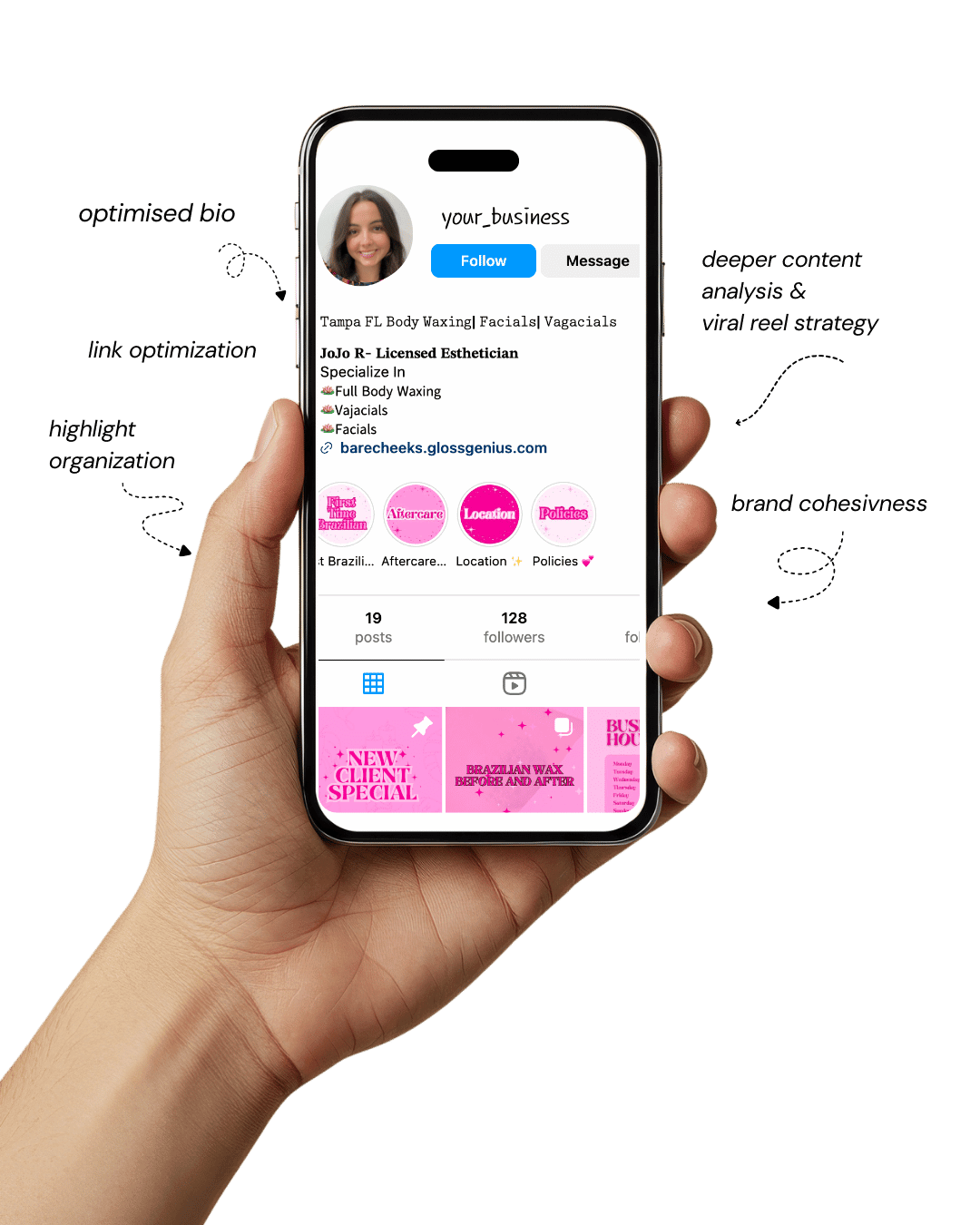
Your Instagram isn’t the problem.
The strategy is.
Get a free, honest audit of your Instagram profile — tailored for beauty, wellness & creative brands.
You’ll receive: profile fixes · content gaps · bio upgrades · content ideas.
I personally review your profile and send a clear, actionable breakdown — no AI, no templates.
Automation tools for coaches are no longer a “nice to have” — they’re the backbone of running a streamlined coaching business.
In fact, coaches who don’t use automation tools for coaches often find themselves buried in admin work instead of spending time on coaching, sales calls, or content creation.
Whether you’re a life coach, business coach, or health coach, these tools help you automate scheduling, CRM tasks, onboarding workflows, payments, and follow-ups.
When a business runs on manual effort alone, tasks slip through the cracks—missed emails, forgotten invoices, inconsistent communication.
But when you introduce automation tools for coaches, repetitive tasks like client reminders, contract signing, and monthly billing happen on autopilot. You also eliminate human error.
The biggest benefit of using automation tools for coaches is time freedom. Even automating simple tasks like “send an onboarding email” or “assign homework in the portal” saves hours each week.
Imagine gaining back 10 hours — time you can use to coach more clients or take a guilt-free Friday off.
Automation isn’t about removing the human touch. It’s about removing friction. And when your systems run smoothly, your clients feel it too.
Their experience becomes consistent and elevated — without you doing more work.
Why Automation Matters for Coaching Businesses

Every coach wants to spend more time coaching and less time stuck in spreadsheets.
Using automation tools for coaches shifts the workload from your hands to a system, instantly reducing admin. Instead of manually sending reminders for every session, your calendar tool and CRM take over.
Higher Client Retention
Clients stay longer when they feel supported between sessions. Automated check-ins, progress tracking, and homework delivery keep clients accountable and engaged.
With automation tools for coaches, you create a predictable rhythm that gives clients a sense of momentum.
Better Data = Better Decisions
Many automation tools for coaches integrate analytics—email open rates, lead source tracking, revenue forecasting, funnel metrics.
Seeing what works and what doesn’t lets you improve your coaching offers based on actual data, not guesswork.
Scaling Without Burning Out
Manual systems break when your business grows. Automation allows you to scale your coaching business without adding more working hours. Instead of hiring five assistants, you “hire” systems.
The right automation tools for coaches give coaches more control, better results, and more revenue with less effort.
1. Calendly — Automate Scheduling Chaos
Calendly is often the first automation tool coaches adopt because scheduling is one of the biggest time-wasters in a coaching business.
Without automation, you spend hours each week responding to messages like “Are you free this afternoon?” or “What time zone are you in again?”
Calendly eliminates all of that by giving clients a direct link to your real-time availability.
When a client picks a time, the system automatically books it, sends confirmation, and adds the meeting to both calendars without requiring a single manual step from you.
The power of Calendly lies in how deeply it integrates with your entire coaching process. It connects with Google Calendar, Outlook, Apple Calendar, Zoom, Microsoft Teams, and payment processors such as Stripe or PayPal.
That means when a session is booked, the Zoom link is automatically generated and emailed to the client, and if you choose, payment can be collected before the meeting is confirmed. This alone eliminates awkward “payment chasing” conversations.
Calendly also allows you to set buffer time between meetings so you can take notes, decompress, or grab a coffee before your next session.
For coaches scaling into multiple offer types—consulting, discovery calls, paid strategy sessions — Calendly allows conditional routing, meaning different session types trigger different forms or questions. This allows clients to filter themselves and saves you the time spent manually collecting important details.
A secret power move is integrating Calendly with your CRM or email marketing platform. When someone books, Calendly can automatically trigger an onboarding sequence, send reminder emails, and start nurture flows. It becomes the entry point of your entire client journey and removes scheduling from your brain forever.
2. HubSpot CRM — Manage Leads and Clients Automatically
HubSpot CRM is one of the most valuable automation tools for coaches because it centralizes all your contacts, leads, and existing clients into one organized system.
Instead of having names scattered across email, spreadsheets, social DMs, and your booking calendar, HubSpot keeps every interaction in one place.
When someone books a call or fills out a form, their profile is automatically updated with their details, communication history, and pipeline stage.
HubSpot acts like your automated assistant. It tracks how engaged prospects are, remembers when you last spoke to them, and prompts you to follow up at the right time.
If a lead doesn’t respond to your email, HubSpot can automatically send a polite follow-up without you having to think about it.
You also have the ability to sort people into stages such as New Lead, Discovery Call Completed, Proposal Sent, or Client Won, so you always know where potential clients are in your sales cycle.
One of the most powerful features coaches often overlook is the use of prewritten email templates and sequences.
These allow you to create strategic nurture emails once and let HubSpot deliver them to every new lead automatically.
When you pair HubSpot with a scheduler such as Calendly, the moment someone books a call, the system adds them into the correct pipeline, starts sending nurture emails, and tracks every interaction.
Without doing anything, the system warms up leads, follows up, and helps maintain relationships. HubSpot turns lead management into a process instead of a guessing game.
3. Zapier — The Bridge Between All Your Systems
Zapier is the automation brain that connects multiple platforms and makes them work with each other. Most automation tools for coaches are powerful on their own, but Zapier turns them into a true ecosystem.
Without Zapier, you might have to manually transfer information fromCalendly to HubSpot, then send an onboarding email, then create a folder for the new client. With Zapier, all of this can happen instantly and automatically.
Zapier works based on simple conditional logic: if something happens in one app, it triggers another action in a different app.
For example, if someone books a coaching call in Calendly, Zapier can add their contact details to HubSpot, create a folder for them in Google Drive, send an onboarding email through ConvertKit, and register them in your client portal.
None of this requires any coding or advanced tech skills. You choose a trigger and assign actions, turning multi-step tasks into an automated workflow.
This is why coaches often say Zapier replaced the need for a part-time virtual assistant. Zapier handles repetitive admin activities behind the scenes, without mistakes and without needing supervision. Once a workflow is configured, it runs indefinitely.
Coaches who use Zapier often experience more clarity and less overwhelm because Zapier ensures that every lead, client, or payment flows where it should go instead of slipping through the cracks. Zapier becomes the quiet automation backbone of your business.
4. Notion — Client Portals, Templates, and Progress Tracking
Notion is one of the most flexible automation tools for coaches because it allows you to create customizable client portals that store everything in one place.
Rather than emailing worksheets, sending Google Drive links, or trying to locate past session notes, you can create a personalized portal for each client that contains homework assignments, session recaps, progress dashboards, resources, and even goal tracking.
The beauty of Notion lies in its versatility. You can design templates that include progress-tracking tables, weekly reflection prompts, embedded videos, coaching frameworks, and habit trackers.
Once the template is ready, onboarding a new client takes seconds because you simply duplicate the template and insert the client’s name. No extra formatting or setup work is required.
Notion also integrates with other automation tools for coaches, meaning forms can push new entries into your client tracker, and Zapier can automatically create a new client portal after someone enrolls or pays.
With Notion acting as a centralized command center, both you and the client can view progress at a glance instead of hunting through emails and files.
Clients love using Notion portals because everything feels structured, visually engaging, and easy to navigate.
Having a personalized digital home enhances their sense of accountability and increases the perceived value of your coaching program. Notion makes you appear highly organized and professional while saving hours of administrative work.
5. ClickUp — Automate Workflows and Delivery
ClickUp is a project and task management platform, but for coaches it becomes the backbone of delivery, accountability, and workflow tracking.
ClickUp shines when it comes to structured coaching programs with multiple moving parts.
If you run group coaching, masterminds, or done-with-you services, ClickUp keeps your programs clear, trackable, and predictable.
You can create spaces for different coaching offers and organize each client or group into folders. Tasks such as onboarding follow-ups, session prep reminders, or client check-ins can all be set to recur automatically.
For example, if a client joins your six-month program, ClickUp can generate all six month’s worth of tasks immediately, assign them to you or a team member, and notify you only when necessary.
It becomes impossible to forget deliverables or lose track of who needs what.
ClickUp also allows you to build dashboards where you can monitor client progression, session notes, deadlines, and upcoming calls.
Because everything updates in real time, you always know the status of each client without digging through emails or trying to recall something from memory.
If you combine ClickUp with Zapier, ClickUp can automatically create a task when a new client signs up or when a form is submitted.
Rather than juggling documents and messages across tools, ClickUp brings order to chaos. It keeps your coaching organized and prevents emotional overload from disorganization.
6. ConvertKit — Email Automation That Sells
ConvertKit is a marketing automation platform built specifically for coaches and creators who rely on nurturing relationships through email.
Instead of writing manual follow-ups or sending newsletters one at a time, ConvertKit lets you build automated email journeys that educate, nurture, and convert leads into paying clients without requiring daily effort.
When someone downloads your lead magnet or books a call, ConvertKit begins sending emails automatically.
These emails may introduce who you are, explain your coaching process, share success stories, and invite the subscriber to take the next step. ConvertKit listens to how people interact with your content.
If they click a link about mindset coaching, ConvertKit can move them into an email sequence specific to mindset coaching.
If they click something about business coaching, they are routed into a different sequence. Subscribers only receive content that matches their interests.
ConvertKit also gives you the ability to track email open rates and link clicks, which helps you see exactly which emails are motivating people to book calls or purchase offers.
Many coaches use ConvertKit to automate lead nurturing for weeks or months, warming up leads while they focus on serving existing clients.
Coaches who rely on content marketing or social media find ConvertKit essential because it turns followers into long-term leads and eventually into paid clients — all while maintaining a personalized feel.
7. Dubsado — Contracts, Invoices, and Onboarding Done For Yoo
Dubsado is one of the most powerful automation tools for coaches who want a smooth and professional onboarding process.
Instead of scrambling to send contracts, invoices, and intake forms after someone says “yes,” Dubsado automates the entire sequence in seconds.
Here’s how the flow works: A new client pays or requests to enroll, and Dubsado instantly sends a contract for them to sign.
Once signed, it delivers an intake questionnaire, sends booking instructions, and provides a welcome message. The client experiences a seamless, organized onboarding process, and you don’t touch anything manually.
Many coaches struggle with onboarding bottlenecks — forgetting to email the contract, losing forms, or having to chase unpaid invoices.
Dubsado eliminates this entirely. It stores signed contracts, tracks invoices, and keeps every client’s paperwork organized so you don’t have to search through Gmail or Dropbox.
Because Dubsado automates invoice reminders, you never have to send awkward messages asking someone to pay. Payments sync to your bank, and the system keeps financial records organized for tax time.
Dubsado not only saves time but elevates your professionalism. Clients immediately sense that your business is structured and reliable, which increases trust and reduces cancellations. It turns onboarding into an effortless, done-for-you experience.
8. Loom — High-Touch Client Communication without More Calls
Loom allows coaches to give personalized video feedback without needing to schedule more meetings.
When clients send questions, worksheets, or drafts, instead of typing a lengthy email, you can record a short screen-share video explaining exactly what to adjust or improve. This makes clients feel supported and saves tremendous time.
The biggest advantage of Loom is asynchronous communication. You and the client no longer need to find a time that works for both of you.
You record your thoughts when convenient, the client views it when convenient, and the work moves forward without interrupting your schedule.
Loom automatically stores videos in the cloud and generates a link instantly. You can paste that link into Notion, ClickUp, or email, and the video is ready for your client to watch.
Loom even shows analytics, so you can see whether the video was viewed and how much of it the client watched.
For coaches offering group programs, Loom allows you to maintain personal connection without having to hop on a live call every time someone needs clarity.
Clients become more accountable because they receive direct feedback, yet you remain in control of your calendar.
Loom keeps communication personal but efficient. It prevents burnout while enhancing the coaching experience.
9. QuickBooks (or Wave) — Automated Bookkeeping and Taxes
QuickBooks or Wave (a free alternative for new coaches) are essential tools for automating the financial side of your coaching business.
Many coaches have strong service delivery but poor financial tracking, which causes stress, surprises, and mistakes — especially during tax season. QuickBooks eliminates all of that by tracking income, expenses, and invoices automatically.
Once connected to your business bank account or Stripe or PayPal account, QuickBooks categorizes every transaction for you.
Instead of manually logging receipts or writing entries into a spreadsheet, QuickBooks assigns transactions to tax categories and builds financial statements in real time.
You can see how much revenue you earned this month, how much profit you kept, and how much you need to set aside for taxes — all without doing math yourself.
QuickBooks automates recurring invoices and payment reminders. If you sell ongoing coaching or subscription plans, QuickBooks sends invoices automatically and sends reminders if payments are late, which saves you from uncomfortable money conversations.
For coaches looking to grow, having accurate financial data helps you make better decisions.
You’ll know which months generate the most revenue, what expenses could be reduced, and whether a certain program is profitable. Financial clarity equals business power.
10. Systeme.io — Funnels, Courses, Emails, and Payments in One Platform
Systeme.io is an all-in-one automation platform that allows coaches to build funnels, host courses, sell digital products, and automate marketing without needing multiple tools.
Many coaches piece together five different platforms and hope they communicate with each other, but Systeme.io consolidates everything under one roof.
You can create landing pages, sales pages, email sequences, checkout pages, and private course areas, and Systeme.io handles the delivery and automation.
When a client enrolls, the platform automatically processes payment, grants access to the course or member portal, adds the client to an email sequence, and sends a welcome message.
Systeme.io is especially powerful for new coaches because it reduces complexity. Launching a coaching funnel doesn’t require funnels in one tool, email in another, and course hosting in a third.
Systeme.io lets you build an entire client journey in one intuitive dashboard.
For coaches scaling to group programs or offering multiple digital products, Systeme.io supports upsells, downsells, and affiliate tracking.
This means you can build marketing funnels that increase revenue without increasing workload.
Systeme.io removes technical overwhelm. Instead of fighting your tools, you execute your strategies.
How to Maximize Results With Automation

Standardize Before Automating
You can’t automate chaos. Write down your workflow first—how a lead becomes a client—before attaching automation tools for coaches to it.
Create a “Single Source of Truth”
Choose one tool (Notion or ClickUp) to hold all SOPs and client info. Every other tool feeds into it.
Automate Based on Triggers
Example:
When a client pays → send contract → send onboarding email → create portal.
This is where Zapier and Dubsado become your secret weapons.
Review Your Automations Monthly
Tools change. Offers change. Review everything once a month to ensure the system still reflects your current processes. That’s how automation tools for coaches remain your growth engine.
Final Words
Using automation tools for coaches isn’t about replacing your personal touch—it’s about replacing repetition.
Successful coaches understand that time is their most valuable asset. When you automate the busywork, you gain capacity to coach more deeply, sell more consistently, and live more freely.
Start small. Automate one workflow — maybe scheduling or onboarding. As the time savings show up, expand from there.
You don’t have to build a full automation ecosystem in a day.
The goal is simple: less admin, more impact. And with the right automation tools for coaches, that becomes your daily reality.