
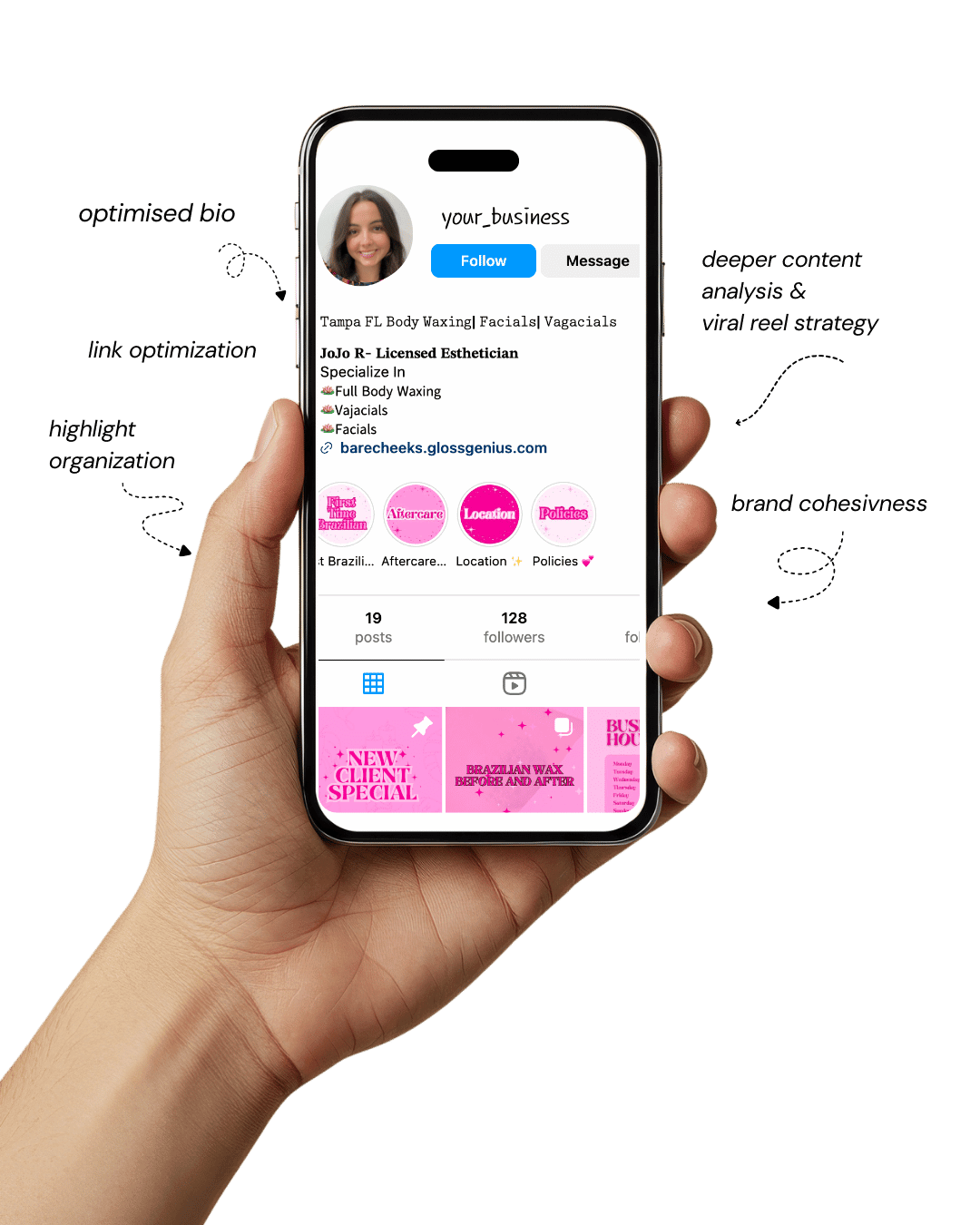
Your Instagram isn’t the problem.
The strategy is.
Get a free, honest audit of your Instagram profile — tailored for beauty, wellness & creative brands.
You’ll receive: profile fixes · content gaps · bio upgrades · content ideas.
I personally review your profile and send a clear, actionable breakdown — no AI, no templates.
If you’ve ever stared at your Instagram grid wondering why it doesn’t feel cohesive, you’re not alone.
Every successful content creator, brand, and influencer knows the secret to a scroll-stopping feed lies in design consistency — and that’s where Canva templates come in.
With Canva, you don’t need to be a professional designer to create content that looks intentional, aesthetic, and on-brand.
These ready-to-use templates save hours of editing time, help maintain a unified visual identity, and give your posts that professional polish followers instantly notice.
But beyond the visuals, Canva templates streamline your entire content workflow.
Whether you’re planning a product launch, creating quote graphics, or building story highlights, the right template library lets you focus on your message — not your margins.
Here we will look into some aesthetic Canva templates that can instantly elevate your Instagram feed.
You’ll also learn expert tips for editing, customizing, and optimizing them to suit your brand.
By the end, you’ll have everything you need to transform your grid into a visually stunning, consistent, and professional portfolio that converts visitors into followers.
Let’s dive into the templates that will completely change how you approach your Instagram content.
Why Canva Templates Are Game-Changers

Using Canva templates isn’t just about making your feed look pretty — it’s about efficiency, strategy, and brand recognition.
When your posts share a consistent design style, your audience instantly recognizes your content in their feed. That visual familiarity builds trust, which is the cornerstone of engagement and conversion.
From an operational perspective, Canva templates reduce design fatigue. You can create a week’s worth of posts in an hour by simply swapping text, photos, and colors.
Templates also maintain brand consistency across multiple platforms, ensuring your Instagram, Pinterest, and even email visuals align perfectly.
Another hidden advantage is that Canva templates are fully customizable across devices.
Whether you’re editing from a phone or laptop, you can tweak dimensions, use smart resizing for Reels covers, or create seamless carousel posts that flow naturally.
The best part? These templates allow non-designers to think like designers.
By leveraging color theory, typography balance, and spacing guidelines embedded into professionally made Canva templates, you automatically level up your content quality without needing design school credentials.
1. Minimalist Neutral Grid
This style focuses on clean layouts, subtle typography, and muted tones that project calm sophistication. A minimalist neutral grid helps your content breathe — the eye can focus on the subject without distraction.
The soft beige and ivory palette works especially well for fashion, skincare, or lifestyle brands that prioritize elegance and subtle luxury.
Using Canva’s built-in grid tools, you can maintain alignment between posts, ensuring your visuals remain balanced across your feed.
This approach enhances the overall sense of order and professionalism while allowing product colors or focal points to stand out naturally.
2. Boho Earthy Vibes
Bohemian-inspired designs bring warmth and authenticity to your feed. Terracotta, olive, clay, and sand hues create a natural, grounded aesthetic that resonates with audiences seeking organic or slow-living brands.
These Canva templates are often paired with textured backgrounds or hand-drawn elements that add a personal, handcrafted feel.
They’re particularly effective for wellness coaches, holistic practitioners, and nature photographers who want to convey mindfulness, authenticity, and warmth.
The color palette evokes a sense of comfort while maintaining visual depth across posts.
3. Pastel Carousel Series
The pastel carousel layout works best for educational or storytelling posts, where continuity across slides is essential.
These Canva templates use soft tones like peach, mint, and sky blue to make information approachable and visually calm.
When creating carousels, maintaining consistency in spacing, typography, and transitions between slides is crucial.
Canva’s duplicate and alignment tools help you achieve that flow. This approach keeps your audience engaged from the first slide to the last, making it easier for them to absorb your message without visual fatigue.
4. Bold Retro Revival
Retro-inspired templates are perfect for brands that want a fun, nostalgic energy. Think bold color gradients, chunky fonts, and geometric patterns reminiscent of 70s posters or early 2000s pop culture.
This design style works particularly well for creative studios, event promotions, or content around music and entertainment.
The contrast between vivid typography and textured backgrounds immediately catches attention.
It’s a style that balances playfulness with visual strength — something few modern designs achieve effortlessly.
5. Chic Editorial Layout
This aesthetic takes inspiration from magazine spreads — elegant serif typography, generous white space, and thoughtfully cropped images.
It conveys authority and sophistication, making it ideal for luxury brands, bloggers, and designers.
Editorial layouts thrive on simplicity and proportion. When using these Canva templates, it’s best to stick to a muted or monochrome palette with accent tones that complement your brand.
The result is a feed that feels curated, intentional, and effortlessly high-end.
6. Monochrome Moodboard Grid
A monochrome feed delivers a sense of calm consistency while reinforcing brand identity.
By focusing on one primary color and its tonal variations, your grid feels visually connected even when showcasing different types of content.
Canva’s color adjustment tools make it easy to fine-tune hues and saturation levels to maintain uniformity.
This approach works beautifully for minimalist lifestyle accounts, design professionals, or brands emphasizing clarity and consistency.
7. Vibrant Brand Launch Kit
When announcing a product or service, consistency in visual communication is key. A vibrant brand launch kit provides pre-designed templates for announcements, teasers, and countdowns.
These often include strong focal areas for images and clear sections for short, persuasive copy.
The structured design of these Canva templates helps maintain excitement and coherence throughout a
campaign, ensuring that every piece of promotional content feels like part of a bigger story rather than isolated posts.
8. Quote & Motivation Pack
Inspirational quotes are among the most shared types of content, but presentation determines their impact.
Canva’s quote and motivation packs use typography hierarchy, texture, and subtle gradients to make each post stand out while staying on-brand.
These templates allow you to blend emotion with professionalism, giving your words a visual identity that resonates with your audience.
They are especially useful for coaches, educators, and entrepreneurs looking to connect through meaningful, concise messaging.
9. Gradient Aesthetic Templates
Gradients add dimension and modernity to your visuals without overwhelming them. They introduce smooth transitions between colors, helping posts feel more dynamic and layered.
In Canva, gradient-based templates allow you to customize direction, intensity, and opacity.
When used correctly, gradients can give your feed a contemporary polish that subtly draws the eye while maintaining harmony across multiple posts.
10. Bold Typography Statements
Typography-led posts are powerful when your message itself is the visual centerpiece. These Canva templates prioritize clean backgrounds and commanding fonts that immediately convey authority.
Spacing, alignment, and font weight play critical roles here. Even small adjustments in letter spacing can influence readability and overall tone.
These designs work well for advocacy campaigns, announcements, or brands with a strong, confident voice.
11. Photo Collage Frames
Collage-style templates combine multiple images into cohesive compositions that tell a story at a glance. They often incorporate paper textures, tape graphics, or torn-edge effects for a scrapbook-inspired feel.
This format is ideal for lifestyle or travel content, as it allows you to showcase variety while maintaining balance.
Canva’s frame feature simplifies the process — simply drag and replace images without disrupting your design structure.
12. Soft Feminine Palette
Pastel lavender, dusty rose, and ivory tones create a gentle, inviting atmosphere that’s perfect for beauty, wellness, or wedding-focused brands.
These templates rely on subtle textures and refined fonts to express delicacy without appearing overly ornamental.
When using soft feminine designs, consistency in tone is vital. Balancing lighter hues with clean typography ensures the feed feels romantic yet professional rather than overly decorative.
13. Content Creator’s Carousel Kit
This template series is structured to maximize engagement and readability. It usually includes a strong hook slide, informational middle slides, and a closing call-to-action.
The design logic behind these Canva templates is rooted in audience behavior — people swipe through posts more willingly when each slide feels part of a story.
Consistent icons, spacing, and transitions make these templates highly effective for educational content or mini-guides.
14. Black & White Editorials
A black-and-white feed communicates confidence and sophistication. The absence of color shifts attention to form, contrast, and texture, giving your visuals a timeless quality.
These templates are particularly effective for fashion brands, photographers, or minimalist designers. The key lies in maintaining even lighting and contrast across images so that the entire grid feels cohesive and deliberate.
15. Modern Grid Puzzle Layout
Puzzle feeds use interconnected images that form a continuous visual when viewed on your profile. This approach demands precise alignment, but Canva’s grid layout and export tools simplify the process.
Brands often use puzzle templates to create storytelling sequences or campaigns where each post contributes to a larger visual narrative.
It’s an advanced yet rewarding method for establishing a polished, professional look.
16. Gradient Story Highlights
Story highlights are the visual index of your brand. Gradient highlight covers unify your profile’s color palette and introduce subtle depth.
Canva templates for highlights often include minimalist icons that reflect content categories like “Travel,” “Tips,” or “Behind the Scenes.”
Consistent highlights make your profile appear organized and trustworthy, encouraging new visitors to explore more of your content.
17. Infographic Carousel Templates
Information presented visually is easier to remember. Canva’s infographic templates use simple icons, geometric shapes, and clean typography to translate complex information into digestible visuals.
For brands sharing tutorials, statistics, or educational posts, this design approach significantly boosts shareability and saves. It helps balance authority and clarity while keeping your feed visually appealing.
18. Moody Film-Inspired Templates
Film-inspired designs use deep tones, subtle grain, and soft vignettes to evoke emotion and nostalgia.
These Canva templates replicate the aesthetic of analog photography, giving your posts a cinematic atmosphere.
They work particularly well for storytellers, photographers, and creative professionals seeking a dramatic or introspective tone.
Adjusting exposure and contrast consistently ensures the final feed maintains coherence.
19. Product Showcase Mockups
High-quality mockups help customers visualize products in real-world contexts.
Canva’s product showcase templates provide pre-framed spaces where you can drop in your images, add subtle shadows, or include annotations.
For digital creators, Smartmockups integration allows the automatic generation of device-based previews — perfect for showing eBooks, online courses, or app interfaces in a realistic setting.
20. Pinterest-Inspired Collage Boards
These templates combine the aspirational mood of Pinterest with the format of Instagram, using layered visuals, quotes, and lifestyle imagery.
They’re ideal for creators who maintain a presence on both platforms.
The vertical orientation option available in Canva allows you to adapt these templates for cross-posting between Instagram and Pinterest, maintaining brand consistency while saving time.
The collage format feels organic yet intentional, giving your feed both visual depth and personality.
Other Steps to Improve Your Instagram Feed

1. Develop a Consistent Posting Schedule
Even the best Canva templates can’t save an inconsistent strategy. Use scheduling tools like Later or Planoly to maintain visual flow and timing consistency.
2. Stick to a Defined Color Palette
Choose 3–5 brand colors and apply them across all templates. Canva’s “Brand Kit” feature stores your fonts, colors, and logo, ensuring you never mix palettes accidentally.
3. Use High-Resolution Images
Pixelated photos ruin even the most aesthetic templates. Always export images in 1080x1080px or 1080x1350px for carousels to maintain sharpness.
4. Optimize Captions and Hashtags
Pair your visuals with intentional copy. Hashtags like #CanvaTemplates, #FeedPlanning, and #AestheticBranding can increase discoverability.
5. Review Analytics Regularly
Track which posts perform best. Then refine your template use based on audience interaction — perhaps your followers engage more with minimalist posts than busy designs.
Consistency in design, tone, and timing transforms your grid from scattered to strategic. Templates provide structure; your creativity gives it soul.
Final Words

Your Instagram feed is your brand’s digital storefront — and Canva templates are the most accessible, effective tools to make it shine.
With just a few clicks, you can achieve design-level polish without hiring a professional.
The key is to choose templates that reflect your personality, stay consistent with your branding, and pair them with high-quality visuals and meaningful content.
As you start customizing these templates, remember that design isn’t about perfection — it’s about connection.
A well-curated, aesthetic feed tells your story visually, builds trust, and invites followers to engage more deeply with your brand.
So, open Canva, explore these 20 aesthetic template collections, and start creating your dream feed today.
With intention, creativity, and consistency, your Instagram will not only look stunning but also convert followers into a loyal community.
#CanvaTemplates #InstagramTips #PinterestInspo #AestheticBranding #ContentCreator #FeedPlanning #SocialMediaTemplates