
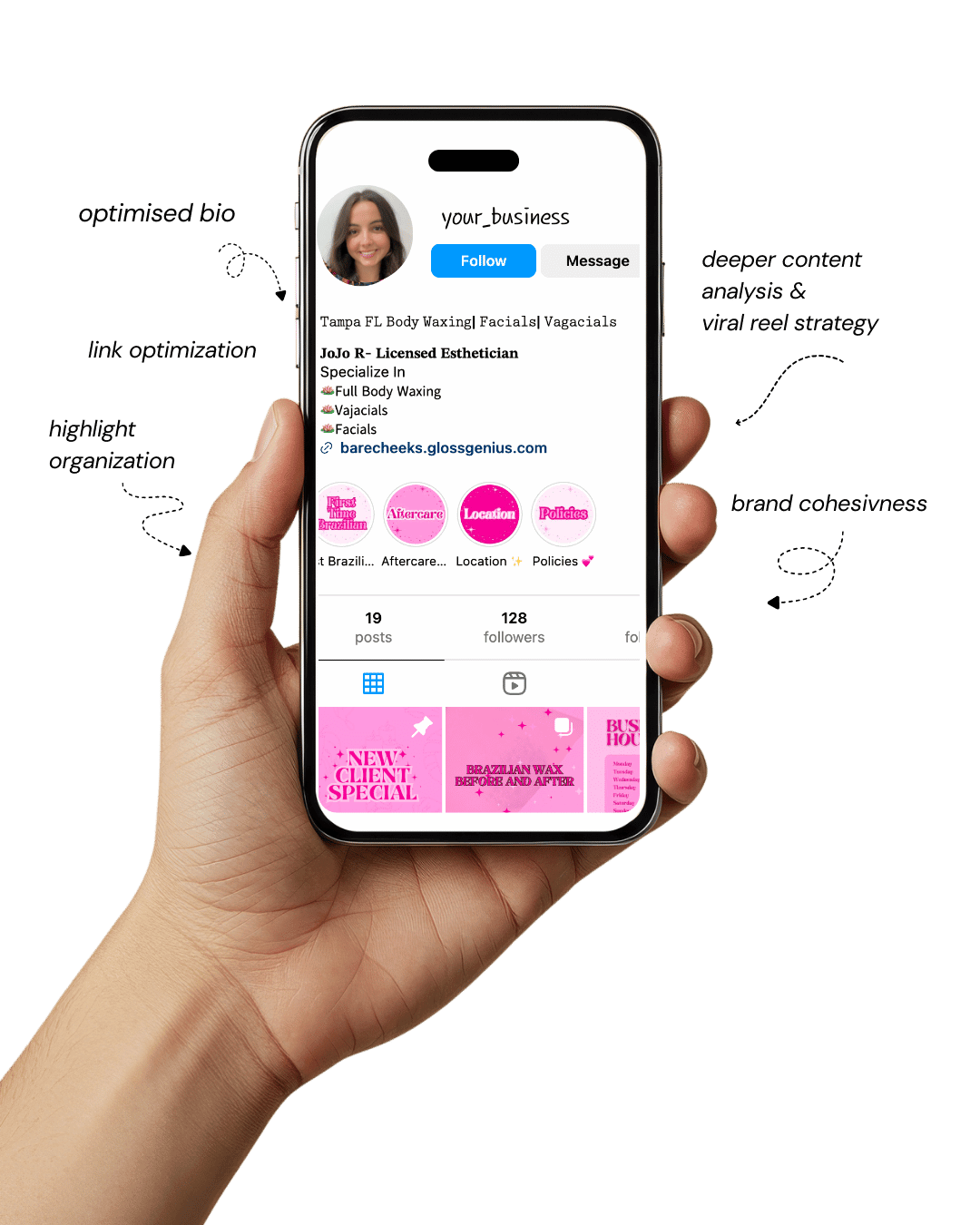
Your Instagram isn’t the problem.
The strategy is.
Get a free, honest audit of your Instagram profile — tailored for beauty, wellness & creative brands.
You’ll receive: profile fixes · content gaps · bio upgrades · content ideas.
I personally review your profile and send a clear, actionable breakdown — no AI, no templates.
Creating a social media content calendar is no longer a “nice-to-have” for professionals — it’s a must.
With countless platforms, fluctuating trends, and audience expectations, managing content without a calendar can quickly become chaotic.
A well-planned content calendar not only organizes your posting schedule but also ensures your content aligns with your brand’s goals, campaigns, and audience engagement patterns.
Yet, many professionals overlook the small but critical details that make a content calendar truly effective — like integrating analytics, planning for content repurposing, and setting reminders for trend-based content.
These details can save hours of last-minute scrambling while boosting the quality and consistency of your posts.
The right tools can transform your social media workflow from stressful to seamless.
They allow creative professionals and busy working professionals to schedule posts, coordinate campaigns, track performance, and even collaborate with teams efficiently.
Whether you’re managing multiple accounts or just want to keep your content organized, this list of tools will help you get the most out of your social media content calendar, making it a central hub for productivity, creativity, and measurable results.
Why a Social Media Content Calendar is Essential

A social media content calendar isn’t just about scheduling posts — it’s a strategic tool that drives efficiency and consistency.
For creative professionals and working professionals alike, it ensures that content is planned in advance, aligned with marketing goals, and tailored for peak engagement times.
Without a structured calendar, posts can become haphazard, campaigns lose coherence, and important opportunities — like trending hashtags or seasonal promotions — can be missed.
A well-maintained calendar also provides a bird’s-eye view of your social strategy. It allows you to track which topics resonate, analyze engagement metrics, and plan content mix effectively.
Beyond efficiency, it boosts creativity: by seeing your content pipeline at a glance, you can identify gaps, brainstorm fresh ideas, and repurpose content strategically.
Moreover, a content calendar reduces stress. Instead of scrambling for daily post ideas, professionals can focus on high-quality content creation and audience interaction.
Team collaboration becomes smoother, approvals are faster, and campaigns stay on track.
1. Trello
Trello is a versatile project management tool that doubles as a powerful content calendar. Using boards, lists, and cards, you can map out your social media campaigns visually.
Each card can include deadlines, attached files, captions, hashtags, and checklists, making it a one-stop hub for content planning.
A lesser-known feature is Trello’s calendar power-up, which allows posts to be visualized by date. You can also integrate it with apps like Zapier to automatically create cards from form submissions or other triggers.
For teams, Trello provides collaborative features such as assigning tasks, leaving comments, and setting reminders, which keeps everyone on the same page.
For creative professionals juggling multiple campaigns, Trello provides clarity without overwhelming complexity.
It’s perfect for those who prefer a visual workflow and value customization in their social media content calendar.
2. Asana
Asana is another project management tool that excels as a content calendar, especially for teams managing multiple channels.
You can create projects for different platforms, plan posts, assign responsibilities, and track progress through Kanban boards or lists.
One often-missed feature is Asana’s Timeline view, which gives a Gantt-style visualization of your posting schedule, helping to avoid content overlaps and identify gaps in campaigns.
Asana also supports automation rules, so recurring posts or reminders can be set up without manual intervention.
For agencies or professionals managing several accounts, Asana simplifies collaboration, feedback loops, and content approvals.
Integration with tools like Canva or Slack enhances workflow, allowing your social media content calendar to be not just a schedule but a comprehensive content operations hub.
3. Buffer
Buffer is a favorite for social media scheduling and analytics. Its strength lies in simplicity—scheduling posts across multiple platforms can be done in a few clicks, with an easy-to-read content calendar view.
A professional tip often overlooked: Buffer’s analytics feature can suggest the best posting times based on past engagement, helping you optimize reach without guesswork.
Additionally, you can manage drafts and plan campaigns weeks ahead, syncing across your team for approvals.
Buffer also supports multi-account management, making it ideal for professionals balancing personal branding and client accounts.
Using Buffer in combination with your social media content calendar ensures consistent posting, measurable performance, and time saved on repetitive manual tasks.
4. CoSchedule
CoSchedule is a robust marketing platform built around the concept of a central content calendar.
It integrates blog posts, social media, and email marketing into a single calendar view, which is a hidden gem many professionals miss.
Its ReQueue feature is particularly useful — it automatically reshuffles your best-performing posts for optimal engagement without manual intervention.
Additionally, CoSchedule allows color-coded categories, making it easy to track campaigns by type or platform.
For teams, CoSchedule provides collaborative features such as comment threads, task assignments, and approval workflows.
Using CoSchedule as your social media content calendar ensures that content planning, execution, and analytics all happen seamlessly in one platform.
5. Hootsuite
Hootsuite is one of the most recognized social media management tools, offering scheduling, analytics, and engagement features.
Its intuitive calendar allows professionals to visualize posts, plan campaigns, and track deadlines easily.
A less commonly known tip: Hootsuite’s bulk scheduling lets you upload hundreds of posts via CSV, which is a lifesaver for large campaigns.
Additionally, its monitoring tools track brand mentions and trending topics, allowing you to adjust your social media content calendar in real-time for maximum impact.
For busy professionals, Hootsuite combines scheduling, analytics, and monitoring in one dashboard, saving time while keeping your strategy data-driven and consistent.
6. Later
Later specializes in visual content planning, making it perfect for Instagram, Pinterest, and TikTok. Its drag-and-drop calendar makes scheduling posts intuitive, and its media library ensures assets are organized and easily accessible.
Later’s “Best Time to Post” suggestions are based on engagement history, not generic timing guides, giving you data-backed scheduling. You can also plan stories, reels, and carousel posts seamlessly.
Later’s visual calendar paired with analytics ensures your social media content calendar is both strategic and creative.
Professionals can repurpose top-performing visuals, experiment with post formats, and maintain aesthetic consistency effortlessly.
7. Airtable
Airtable combines the simplicity of spreadsheets with the power of a database, making it a flexible content calendar.
You can create tables for platforms, campaigns, content types, and deadlines, linking them together to track progress.
Often overlooked is Airtable’s ability to automate reminders and notifications for deadlines, or even to trigger posts via integration with tools like Zapier.
Its gallery view is particularly useful for visual content planning, allowing teams to see images, drafts, and assets alongside scheduling info.
For professionals who value structure without sacrificing flexibility, Airtable’s modular approach turns a social media content calendar into a comprehensive content management system.
8. ClickUp (150 Words)
ClickUp offers an all-in-one platform for productivity and social media planning. You can manage tasks, create calendars, track deadlines, and collaborate within one app.
ClickUp’s custom fields allow tracking content types, target audiences, and campaign goals in one place — details often ignored in other tools.
Its Calendar and Gantt views ensure your social media content calendar is both visual and actionable, helping you anticipate busy periods or gaps.
Teams benefit from commenting, approvals, and task assignments, reducing back-and-forth emails. ClickUp makes content planning professional yet simple, especially for multi-channel campaigns.
9. Notion
Notion is a highly customizable workspace ideal for creative professionals. With templates for content calendars, it allows you to track ideas, drafts, posting schedules, and analytics all in one place.
What many overlook is its ability to link pages for campaigns, media assets, and post drafts, creating a living document that evolves with your strategy.
Notion’s calendar view can sync with external calendars, ensuring nothing slips through the cracks.
Using Notion for your social media content calendar combines flexibility, organization, and collaboration, making it more than a schedule — it becomes a content strategy hub.
10. Planoly
Planoly is designed for visual content planning on Instagram, Pinterest, and TikTok. Its grid layout allows you to preview your feed, ensuring visual harmony and engagement.
A lesser-known tip: Planoly allows scheduling stories and reels alongside regular posts, integrating analytics to suggest optimal posting times.
Its “Auto Post” feature saves time, while its media library keeps assets organized.
For professionals focused on aesthetics and engagement, Planoly’s approach to a social media content calendar ensures that both timing and visual appeal are optimized, giving your brand a polished, professional presence.
Steps to Further Improve Your Results

While these tools streamline your social media content calendar, there are additional steps to maximize their effectiveness.
First, consistently review analytics to understand what content performs best. Insights like peak engagement times, content formats, and hashtag performance allow fine-tuning of your calendar.
Second, repurpose content strategically. High-performing posts can be adapted for different platforms, saving time while amplifying reach.
Third, integrate trending topics and seasonal campaigns into your calendar to stay relevant. Many professionals neglect this, but it can significantly boost engagement.
Fourth, maintain a balance between evergreen and timely content. A diverse content mix ensures your strategy isn’t overly reactive or repetitive.
Lastly, encourage team collaboration. Use shared calendars, approval workflows, and regular planning sessions to ensure everyone is aligned and creativity is maximized.
By combining these steps with the right tools, your social media content calendar becomes more than a schedule — it transforms into a strategic engine for consistent, high-impact social media growth.
Final Words
A social media content calendar is the backbone of effective content marketing. With the right tools, planning, and execution, you can streamline workflows, enhance creativity, and ensure consistent posting.
From visual planners like Later and Planoly to multi-functional platforms like Trello, Asana, and ClickUp, each tool offers unique features that cater to different needs.
Remember, a calendar isn’t just about dates — it’s about strategy, collaboration, and insights. Regularly updating, reviewing analytics, and integrating trends makes your content smarter, not just scheduled.
By combining these tools with best practices like repurposing content, planning campaigns, and fostering teamwork, professionals can save time while achieving measurable results.
Ultimately, a strong social media content calendar empowers creative and working professionals to stay organized, reduce stress, and deliver content that resonates with audiences.
It transforms social media from a chaotic task into a productive, enjoyable, and strategic part of your business.