
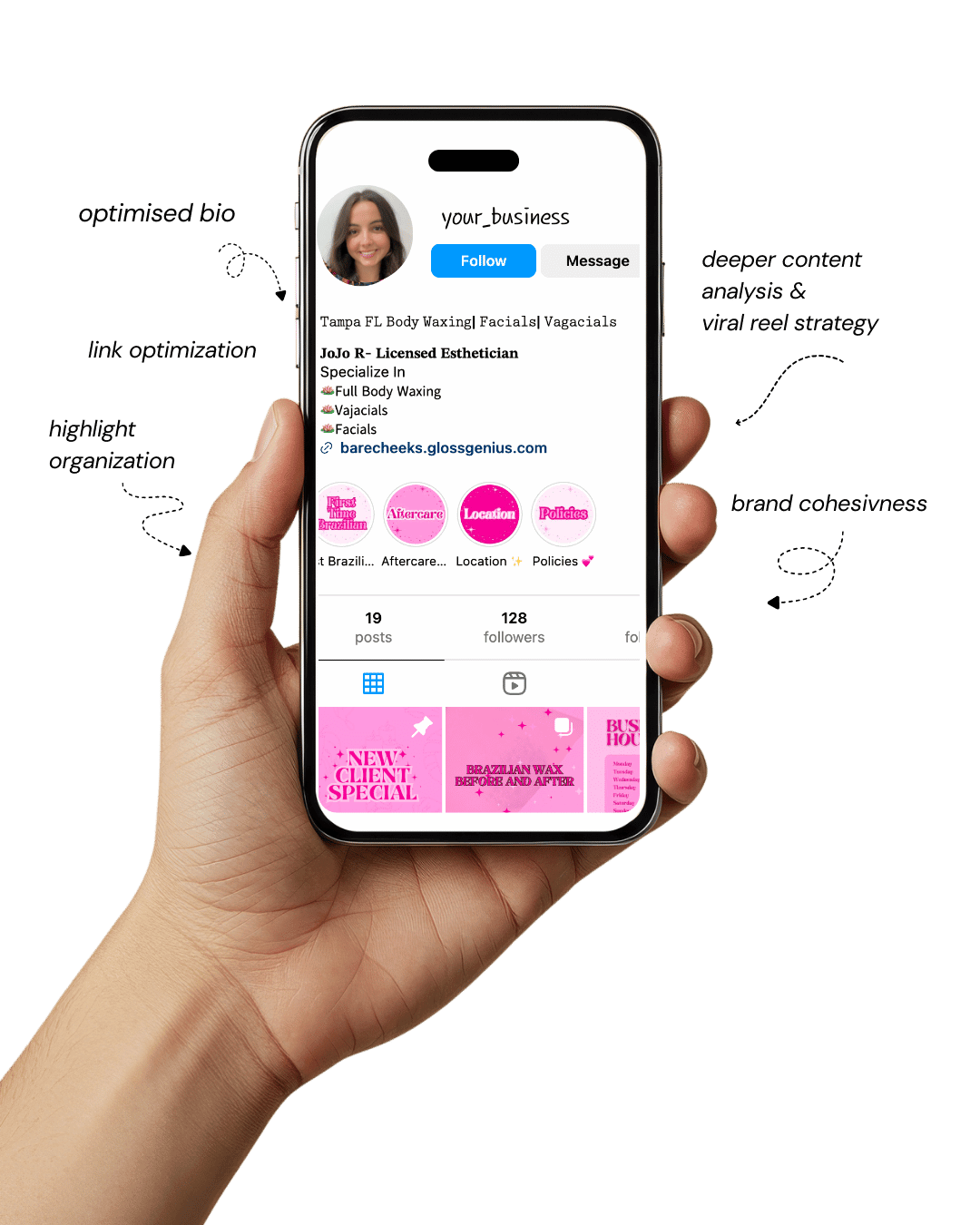
Your Instagram isn’t the problem.
The strategy is.
Get a free, honest audit of your Instagram profile — tailored for beauty, wellness & creative brands.
You’ll receive: profile fixes · content gaps · bio upgrades · content ideas.
I personally review your profile and send a clear, actionable breakdown — no AI, no templates.
If you’ve ever spent hours trying to make your designs look just right, you already know how challenging it can be to turn a great idea into something visually stunning.
That’s exactly where Canva templates make all the difference — they take the stress out of design and help you create scroll-stopping visuals in just a few minutes.
Think of Canva templates as your personal design shortcut. The fonts, colors, and layouts are already balanced for you, so instead of second-guessing every element, you can focus on what really matters — your message.
Whether you’re a small business owner, content creator, or someone who simply wants their Pinterest pins to look more polished, the right template can transform your workflow and make everything look effortlessly cohesive.
Up ahead, you’ll find a curated selection of viral-ready Canva templates that perform exceptionally well on Pinterest, Instagram, and Facebook.
You’ll discover what makes each one stand out, how to tailor them to your brand, and even a few often-missed technical details like image resolution, layout grids, and font licensing — the subtle tweaks that turn a good design into a truly professional one.
What Makes Canva Templates So Valuable for Creators
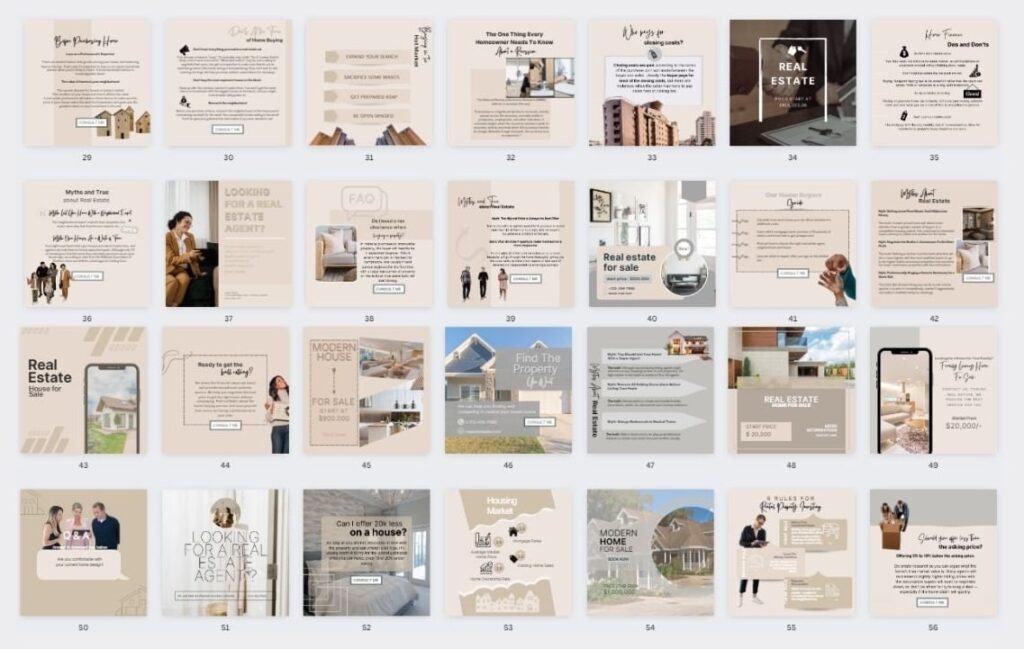
Using Canva templates isn’t just about saving time. It’s about consistency, branding, and leveraging proven layouts that convert.
First, every business needs a visual identity: colours, typography, iconography—all these things create recognisable branding.
Templates allow you to replicate that identity across multiple assets (Pinterest pins, Instagram posts, lead magnets) easily.
Second, when you use a template, you’re using a design that’s already laid out for best-practice — balanced spacing, hierarchy of text, visual emphasis where needed.
That means fewer rookie mistakes like too many fonts, mis-aligned elements, or ignoring mobile viewers.
On the technical side: many people overlook image resolution, export settings (PNG vs JPG), bleed & safe zones, font licensing inside the template, and responsive layout for different platforms.
Using templates can help you avoid those pitfalls because the designer already set those parameters.
For example, if a template is designed at 1080×1350 px (an Instagram portrait size), then you know the image will appear nicely on mobile without key elements being cut off.
Getting these details right helps your content perform better in terms of visibility and sharing — in other words: more pins, more saves, more engagement.
So yes: Canva templates bring both aesthetic consistency and performance optimisation, and that’s why they matter.
Viral Canva Template Ideas That Instantly Elevate Your Visuals
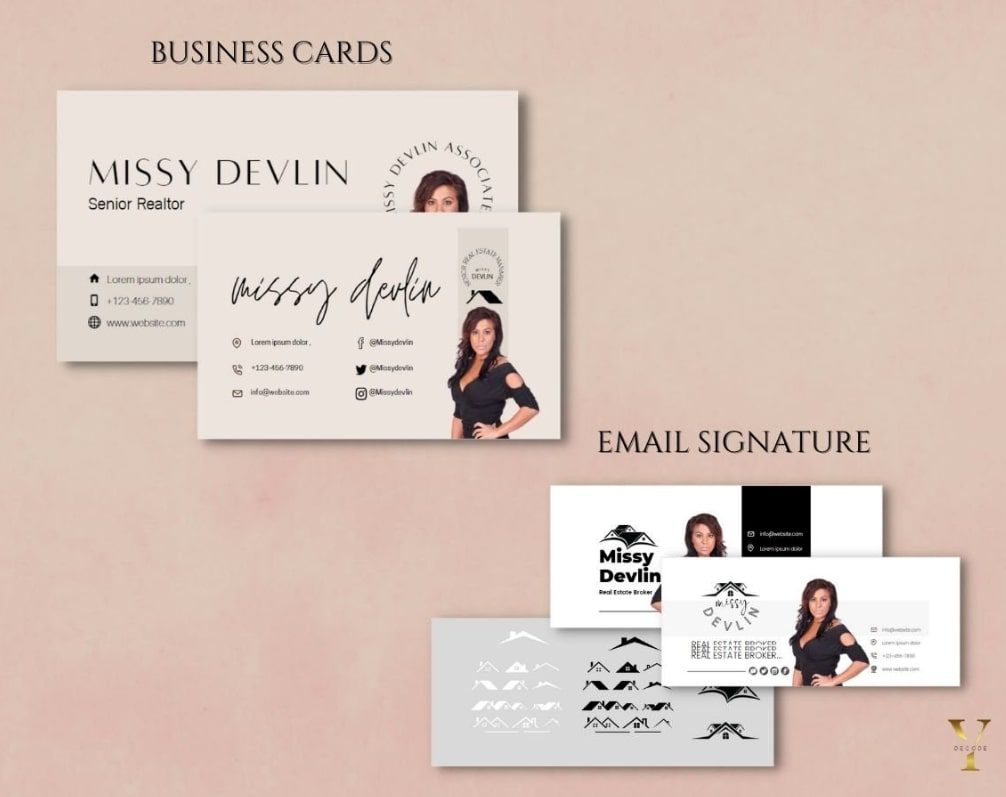
If you’ve ever wondered why certain Pinterest pins or Instagram posts explode with engagement, the secret is often in the structure —not just the content.
The right Canva templates combine visual psychology, technical precision, and brand consistency. Below is a complete set of viral-ready template ideas you can adapt for any niche.
Each one includes insights on how it works, why it converts, and how to customize it for your unique style and platform.
1. Pinterest Pin Lead-Magnet Template
Pinterest thrives on vertical visuals, so tall designs like 1000 × 1500 px or 1080 × 1920 px dominate feeds.
A strong lead-magnet template uses a bold headline, high-contrast image, and an irresistible call-to-action such as “Download Now” or “Free Checklist Inside.”
Since the goal is to drive traffic off-platform, clarity is essential — text must remain readable even in the thumbnail preview.
Using your brand colours as overlays can create contrast and visual depth, helping the main text pop against any background.
Exporting as PNG maintains edge sharpness and makes the pin look polished on both desktop and mobile.
2. Instagram Carousel Tip-Series Template
Carousel templates are excellent for storytelling and educating your audience. A series of five to seven slides allows you to share micro-lessons, tips, or transformations in a structured way.
Each slide should maintain a uniform header, footer, and spacing grid so your viewer experiences a seamless swipe flow.
Designing in 1080 × 1080 px ensures that carousels fit perfectly in feeds. Consistency in margins, font hierarchy, and colour palette reinforces brand identity while guiding the viewer naturally through the content.
Adding slide indicators such as “1/7” subtly encourages users to keep scrolling until the end.
3. Quote Graphic Template
A clean, well-designed quote template is one of the easiest ways to increase shares. By combining a large quotation mark graphic with bold typography and your brand accent, you can make simple text visually magnetic.
The background should contrast sharply with the text — light on dark or vice versa — to stay readable across devices.
Aligning the quote text centrally and using consistent letter spacing enhances legibility. When exported as PNG, the design retains crispness even when resized for stories, feeds, or Pinterest pins.
4. Webinar Announcement Template
When promoting an event, clarity and hierarchy matter most. This Canva template typically includes a headline, date, time, speaker photo, and a clear registration call-to-action.
The best practice is to anchor the date visually by enlarging or bolding it, then align all text elements to a vertical grid to maintain order.
When exporting as a clickable PDF or story post, ensure links or QR codes are embedded properly.
A strong contrasting colour for the “Register Now” button improves conversions while keeping the design brand-consistent.
5. Checklist or Planner Download Template
Perfect for creators offering freebies, this Canva template is typically formatted for A4 or US Letter if printed, or 1080 × 1350 px if shared digitally.
Structure it with a clean header, even line spacing, and clear checkbox alignment to make it easy to use.
Using Canva’s “Styles” feature ensures that all headings and subheadings stay consistent throughout multiple pages.
Interactive elements, such as linked sections or fillable boxes, make digital planners especially appealing for users who prefer typing directly into PDFs.
6. Blog Featured Image Template
Every blog post deserves a recognisable visual identity. This header template, ideally 1600 × 900 px, makes your posts uniform and memorable.
Maintain open space for the title text — roughly one-third of the design — and include your blog name or logo subtly.
Sticking to your brand kit ensures readers recognise your posts across social media. Export in JPG for fast page load, and in PNG for crisp quality on Pinterest or Medium.
7. Pinterest Story Pin Template
Story pins are great for step-by-step visuals, and this Canva layout uses 1080 × 1920 px for portrait orientation.
The design should rely on strong visuals and minimal text — roughly 15-20 words per slide.
Keeping important text inside the central 80% of the canvas ensures nothing gets cropped by Pinterest’s interface.
Consistent colour palettes and repeating typefaces across your story series help you develop a strong visual rhythm that improves brand recall.
8. Instagram Reel Cover Template
A cohesive feed starts with consistent reel covers. This Canva template uses 1080 × 1920 px dimensions but must be designed with the top-center area visible in the 1080 × 1080 px grid preview.
Using a blurred background image with a translucent overlay lets your text remain legible.
Testing how it appears on your feed grid before posting ensures visual alignment. Keeping fonts large and minimal avoids clutter while retaining clarity on mobile devices.
9. Facebook Ad Graphic Template
Facebook ads work best when they communicate in under two seconds. A clean 1200 × 628 px layout that balances headline, product image, and CTA button achieves that.
Leaving a 100-pixel safe margin on all sides prevents text from being cropped.
Use a bold, brand-aligned CTA colour that contrasts with the main image and maintains legibility even at small preview sizes.
Exporting as a compressed PNG optimises loading speed while keeping quality high.
10. Instagram Highlight Cover Template
These small circular icons give your Instagram profile a professional, cohesive look.
Designed at 1080 × 1080 px, they should feature your brand icon or a simple minimalist illustration centered within a safe 700-px circle.
Subtle gradients or muted backgrounds work better than busy patterns here, as they remain crisp when scaled down.
Creating a consistent colour system for each category helps followers navigate your content intuitively.
11. Podcast Episode Promo Template
Podcast visuals benefit from recognisable consistency. The best Canva setup is 3000 × 3000 px, the standard for podcast covers.
Include the episode title, guest photo, logo, and a short subtitle or tagline. Align text blocks vertically and ensure image resolution is at least 300 dpi for professional-looking uploads.
Keeping the same layout for every episode helps listeners associate visuals with your content immediately.
12. Sale or Launch Announcement Template
Promotional posts require urgency and clarity. Using 1080 × 1350 px, this layout emphasizes “Limited Time” or “X% Off” headlines in bold sans-serif fonts.
Adding subtle shadows or lower-third overlays highlights countdown timers or discount labels. Keeping your product image large and uncluttered makes the offer easy to grasp.
Ensuring colour contrast between text and background increases conversion rates while preserving brand harmony.
13. Testimonial Template
Social proof builds credibility faster than any ad. This testimonial template, set at 1080 × 1080 px, uses a clean grid to pair customer photos with short reviews.
Incorporating subtle stars or icons signals positive feedback visually. Photos should remain high resolution (300 dpi for print, 72 dpi for web) and text limited to one or two sentences for quick readability.
Aligning the testimonial name with your logo visually ties the feedback back to your brand.
14. Infographic Template
Infographics are share magnets on Pinterest and blogs. A vertical layout of 800 × 2000 px or longer gives room for multiple sections.
The best infographics divide information into digestible blocks using icons, short headings, and even spacing.
Canva’s rulers and grids ensure perfect alignment throughout.
Using your brand’s accent colour to differentiate sections subtly guides the eye and helps readers retain information.
15. Quote + Splash Graphic Template
This hybrid design combines motivational text with striking photography. Using 1080 × 1080 px, you overlay a quote over a high-contrast background image and a brand colour splash.
Dark overlays (around 60 % opacity) behind text maintain legibility while giving the image cinematic depth.
Aligning text slightly off-center adds visual interest, and keeping fonts bold ensures clarity even on small screens.
16. Freebie Opt-In Template
Freebie templates convert when they visually represent the value offered. At 1080 × 1350 px, this Canva layout includes a product mockup on one side and a short description with a call-to-action on the other.
Using transparent PNGs for mockup overlays keeps edges clean.
Structuring the text with clear hierarchy — headline, sub-headline, and CTA — helps your viewer understand the offer instantly. Matching CTA colours with your brand palette reinforces credibility.
17. Pinterest Pin Tutorial Template
Tutorial pins consistently rank well because they promise immediate value. Using 1000 × 1500 px, this template divides space into steps — title on top, visuals in the middle, and a call-to-action at the bottom.
Keeping equal spacing between images and maintaining uniform text sizes across steps improves readability.
Numbering steps visually (1, 2, 3…) helps guide users through the process and increases saves on Pinterest.
18. Event Invitation Template
Whether for a virtual summit or in-person meetup, event templates must combine elegance with clarity.
The layout, ideally 1080 × 1350 px, should include event title, date/time, speaker list, and RSVP info. Adding QR codes for quick registration simplifies user action.
Choosing imagery that reflects the event’s tone — such as soft gradients for educational events or bold textures for product launches — enhances emotional resonance while keeping the layout professional.
19. E-Commerce Product Flat-Lay Template
Flat-lay templates are perfect for online stores showcasing new arrivals. Designed at 1080 × 1080 px or 1200 × 628 px, they combine overhead photography with short text overlays like “New Drop” or “Shop Now.”
Positioning text away from the main product area ensures details remain visible. Using a semi-transparent overlay helps text integrate naturally with the photo.
Keeping product names consistent in font and spacing builds recognition across your store’s feed.
20. Quote Circle Breakout Template
Breaking the standard grid draws instant attention. In this 1080 × 1080 px Canva template, the quote sits inside a circular shape overlapping both background image and colour block.
Using the layering tools (“Position → Forward/Backward”) ensures elements stack seamlessly.
Choosing a bold accent colour for the circle that contrasts your background photo enhances focus on the text while maintaining brand coherence.
21. Email Header Graphic Template
First impressions in emails start with the header. Sized at 600 × 200 px or 800 × 300 px, this minimalist template includes your logo, a concise tagline, and a soft background texture.
File size should remain under 200 KB to prevent slow loading in email clients.
Keeping the design mobile-friendly with centered text ensures readability across devices. Proper alt-text describing the graphic improves accessibility and SEO.
22. Pinterest Pin Multi-Page Lead-Magnet Template
A smart hybrid template that turns a Pinterest pin into a downloadable PDF. The first page attracts attention, while the inner pages deliver content such as checklists or mini-guides.
Set bleed to 0.125″ for print and use RGB colour mode for web. Maintaining consistent header placement and clickable links throughout gives your digital download a professional polish.
Matching the cover design to your pin ensures seamless brand continuity across platforms.
23. Instagram Story Quiz or Poll Template
Interactive stories are engagement goldmines. This Canva layout uses 1080 × 1920 px and places text safely within central bounds to avoid overlap with interface icons.
Colour-blocking between options (like “Option A” vs “Option B”) makes tapping intuitive. Short, conversational prompts create personality while maintaining alignment with your brand’s tone.
Updating fonts and colours regularly keeps followers visually interested without disrupting overall cohesion.
24. Analytics Report Template
For marketers, virtual assistants, and freelancers, presenting data beautifully can win clients. This A4 or US Letter Canva template integrates editable charts, KPIs, and icons in a clean grid system.
Using Canva’s chart tool linked to spreadsheets ensures data accuracy. Keeping typography minimal and headings aligned builds credibility.
Incorporating subtle brand accents throughout makes reports look polished and on-brand, even for complex analytics.
25. Giveaway Announcement Template
Giveaways thrive on clarity and excitement. A 1080 × 1080 px or 1200 × 628 px layout works best for both Instagram and Facebook.
Clearly display the prize image, rules, and entry method (“Tag two friends” or “Follow + Share”). Ensuring that all text remains above 24 pt keeps it readable on mobile devices.
Adding your logo or branded hashtag creates trust while reinforcing brand identity. Balanced spacing between text and visuals keeps the post from feeling cluttered, even with multiple elements.
Extra Steps to Improve Results
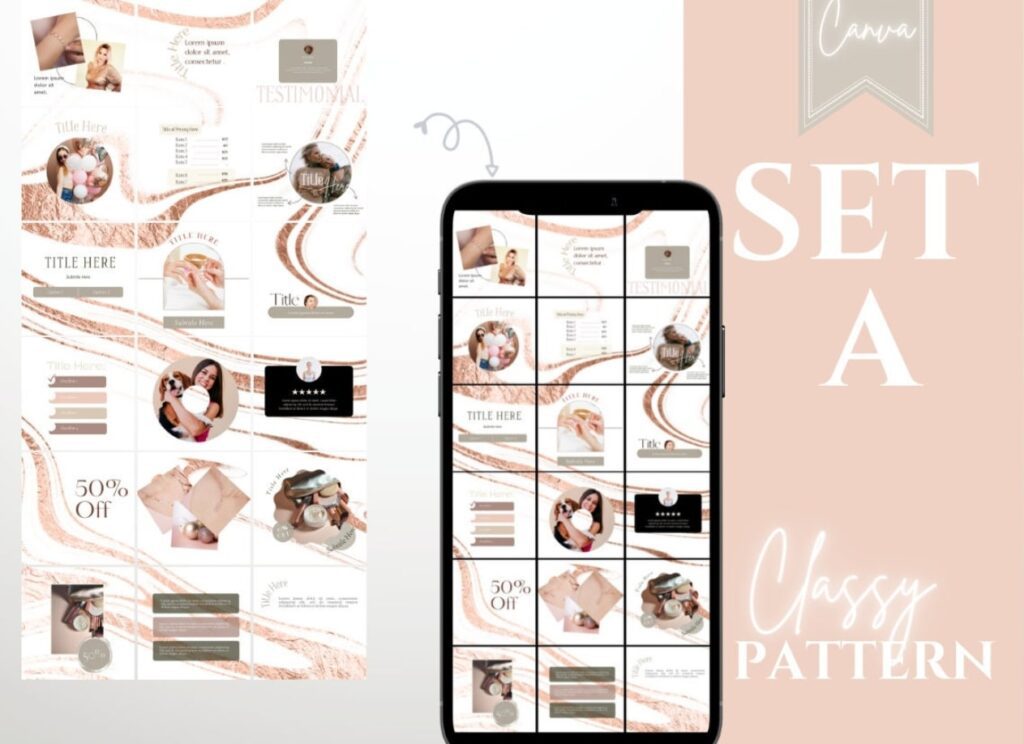
Now you’ve got the template ideas, here are some extra steps you can take to boost your results even further:
Batch customise and reuse
Rather than designing one by one, set aside time to batch customize 5-10 of each template type at once.
Use Canva’s “Make a copy” and use your Brand Kit (colours, fonts, logos) so each asset remains cohesive. This saves time and keeps your visual identity consistent.
Export settings & platform optimisation
Different platforms have different best-practices: for example, Pinterest prefers tall pins (1000 × 1500+ px), Instagram feed prefers square or 4:5 portrait (1080 × 1350), stories prefer 1080 × 1920.
Check export settings in Canva: PNG for sharper text/graphics, JPG for faster load times. Use the “Transparent background” option if overlaying on a video.
Also, name your exported files with descriptive names (e.g., “Pinterest-Pin-Freebie-2025.png”) – helps with SEO when you upload.
A/B test variants
Even the best design can be improved. Create two versions of a template with slight changes (colour, font size, CTA wording).
Post both and see which performs better (clicks, saves, shares). Use the data to refine your future templates.
Monitor engagement and tweak
Look at analytics: for a Pinterest pin, check saves, clicks, repins. For Instagram, check impressions and carousel slide-through.
If a template under-performs, revisit readability (text size, contrast), spacing, or call-to-action clarity. Over time, you’ll build a library of high-performing templates tailored for your audience.
Final Words
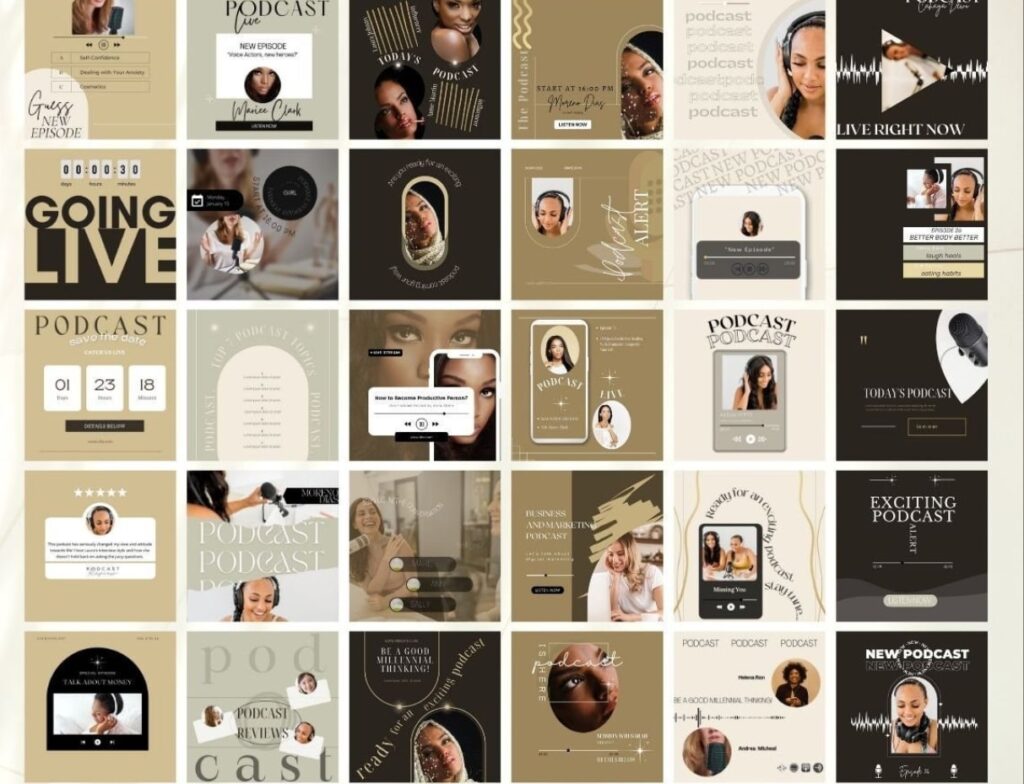
Using Canva templates isn’t just about convenience — it’s about building a smarter, more consistent visual identity for your brand.
Each of the template ideas above gives you a practical starting point for content that not only looks beautiful but also performs well across platforms.
Think of it as your plug-and-play design system: a set of creative assets you can scale, refine, and reuse without ever starting from scratch.
What really sets great designers apart is how they use their templates. Pay attention to analytics, audience behavior, and platform trends.
If a certain pin layout or carousel format drives more saves or clicks, duplicate that template and create a variation series.
Over time, you’ll develop a repeatable design workflow that saves hours each week and still keeps your brand looking fresh.
And don’t overlook the technical side — export settings, file sizes, and accessibility all influence how your visuals perform. A crisp, properly sized image loads faster, looks better, and gets shared more often.
So start small: pick one Canva template that aligns with your current goal, customize it with your brand style, and refine it based on real results.
Before long, you won’t just be creating content — you’ll be building a consistent, high-performing visual system that attracts, engages, and converts.